
Sawgrass Waste Ink Collector SG400 / SG800 / SG500 / SG1000
Sawgrass
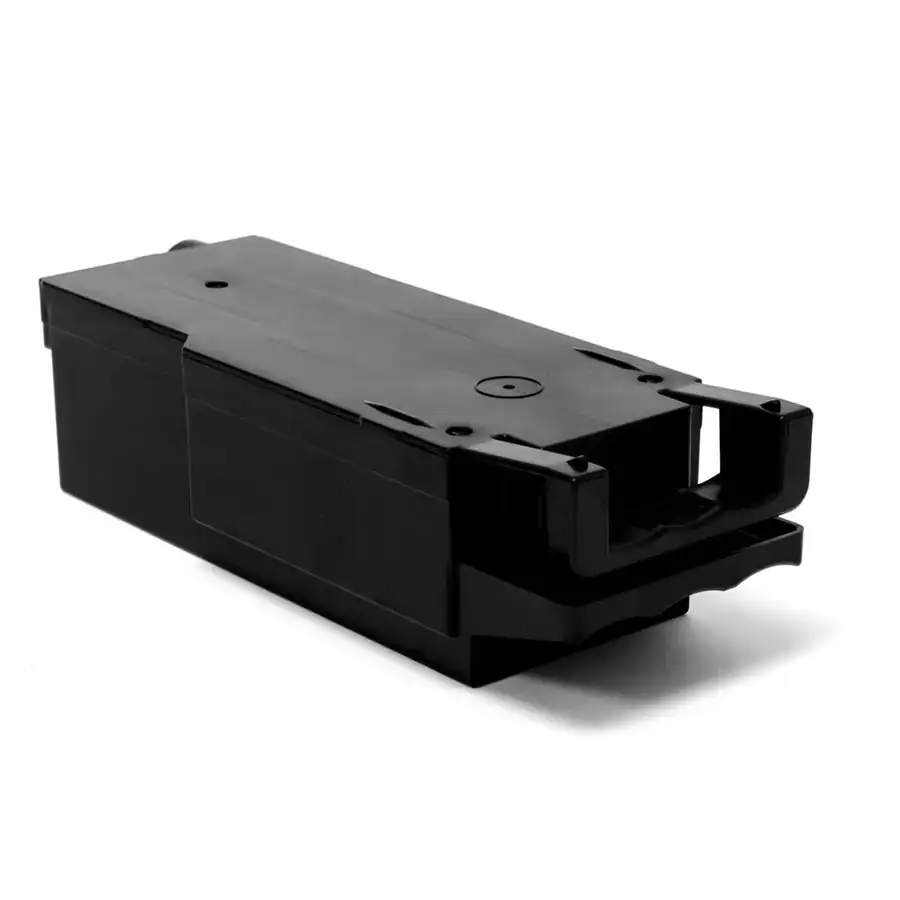
The Sawgrass Virtuoso Waste Ink Collection Unit is the genuine replacement tank that captures excess ink flushed during your printer’s cleaning and maintenance cycles. When your Sawgrass says the collector is full, the printer stops — drop in a fresh unit in under a minute (no tools) and keep printing. Fits the Sawgrass SG400, SG800, SG500 and SG1000.
OEM waste collector (RSYSSG6450)
All Virtuoso SG models
Push, pull, click — under a minute
Avoid downtime when it fills
$44.95
Description
Sawgrass Virtuoso Waste Ink Collection Unit (SG400 / SG800 / SG500 / SG1000)
Every time your Sawgrass runs a head cleaning or maintenance cycle, a small amount of ink is flushed out and captured by the waste ink collection unit. Over time that tank fills, and the printer will alert you — then stop printing entirely until the unit is replaced. This is the genuine Sawgrass replacement collector for the Virtuoso SG400, SG800, SG500 and SG1000. Swapping it is a quick, tool-free job, and keeping a spare on the shelf means an “Ink Collector Full” message never costs you a production run.
Why It Matters
Keeps you printing
A full collector stops the printer. A fresh unit on hand means no downtime waiting on a part.
Protects the printer
Contains flushed ink safely and prevents overflow that can foul internal components.
Protects print quality
Proper maintenance flushing keeps nozzles clear so colors stay vibrant and consistent.
Genuine & tool-free
OEM Sawgrass part that clicks in by hand — no tools, no service call.
How to Replace It
No tools, about a minute:
1 · Open
Open the right front cover of the printer and wait about 5 seconds.
2 · Release
Press the “PUSH” tab and pull the full unit straight out, keeping it level.
3 · Bag old
Seal the used unit in the supplied bag to avoid ink drips, then dispose of it.
4 · Insert
Slide the new unit in until it clicks, then close the cover. The printer resets the counter.
Works With
- Sawgrass Virtuoso SG500 and Virtuoso SG1000 printers (also fits the SG400 & SG800)
- Keep it running with genuine SubliJet-UHD sublimation ink
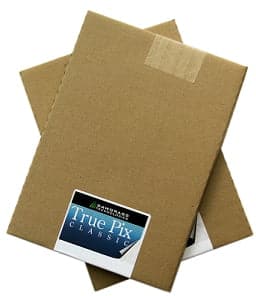
- Pair with TruePix sublimation paper for your transfers
- Browse the full sublimation lineup for printers, ink, paper & parts
Why Buy From River City Supply?
Real decorators. Real support. Genuine Sawgrass parts.
Technical Specifications
Sawgrass Waste Ink Collector – Technical Specifications
Technical Sheets / Safety Data Sheets / Documents
FREQUENTLY ASKED QUESTIONS
Sawgrass Waste Ink Collector – Frequently Asked Questions
Why Buy From River City Supply?
Real decorators. Real support. Genuine Sawgrass parts.
Reviews
Only logged in customers who have purchased this product may leave a review.
You May Also Like
Related products
-

Sublimation Heat Tape – Secure Design Holding for Precision Transfer Bonding
$8.99 -
Sawgrass Virtuoso SG1000 Printer and SubliJet UHD Inks Starter Kit
Price range: $1,795.95 through $1,949.95 -
Sawgrass Virtuoso SG1000 VersiFlex Hybrid Decorating System
Price range: $2,399.95 through $2,799.95 -

Sawgrass TruePix Sublimation Paper 11×17 – 100 Sheets
$39.99
Reviews