Matsui Foil Blocker 301 | Water-Based Anti-Foil Base for Precision Foil Control in Screen Printing — Prevents Foil From Adhering to Specific Print Areas for Clean Multi-Zone Foil Designs

Matsui
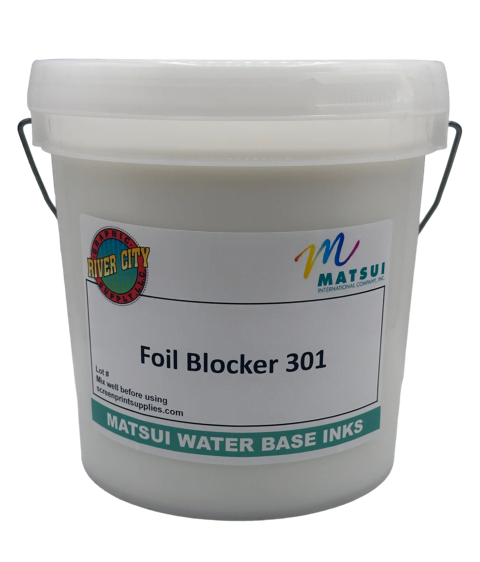
Matsui Foil Blocker 301 (WS0534) is a water-based anti-foil base that PREVENTS foil from adhering to specific areas of a garment during heat-press foil transfer. This is NOT a foil adhesive — it is the OPPOSITE of a foil adhesive. Print Foil Blocker 301 in the areas where you DO NOT want foil to stick. When foil is heat-pressed over the entire design area, the foil bonds to the Foil Adhesive TFG 301 zones but REFUSES to bond to the Foil Blocker zones — creating clean, precise multi-zone foil designs where foil and non-foil areas coexist on the same garment with sharp, defined edges. Prints through mesh up to 150/inch (59/cm) — high mesh for fine detail and precise blocking boundaries. For best foil resistance during heat pressing: minimal pressure, no more than 8 seconds, transfer press at 350°F. Enhance production with Matsui additives. Requires zero viscosity modifications. Shake or stir gently before use. Cures at 320°F (160°C). PVC-free. Environmentally safe.

Price range: $69.99 through $229.99

--- GLOBAL RULE LOCATIONS ---
Array
(
    [0] => stdClass Object
        (
            [post_id] => 1714
            [meta_key] => _pricing_rules
        )

    [1] => stdClass Object
        (
            [post_id] => 2853
            [meta_key] => _pricing_rules
        )

    [2] => stdClass Object
        (
            [post_id] => 2854
            [meta_key] => _pricing_rules
        )

    [3] => stdClass Object
        (
            [post_id] => 2884
            [meta_key] => _pricing_rules
        )

    [4] => stdClass Object
        (
            [post_id] => 2937
            [meta_key] => _pricing_rules
        )

    [5] => stdClass Object
        (
            [post_id] => 2941
            [meta_key] => _pricing_rules
        )

    [6] => stdClass Object
        (
            [post_id] => 2944
            [meta_key] => _pricing_rules
        )

    [7] => stdClass Object
        (
            [post_id] => 2955
            [meta_key] => _pricing_rules
        )

    [8] => stdClass Object
        (
            [post_id] => 2956
            [meta_key] => _pricing_rules
        )

    [9] => stdClass Object
        (
            [post_id] => 2957
            [meta_key] => _pricing_rules
        )

    [10] => stdClass Object
        (
            [post_id] => 2958
            [meta_key] => _pricing_rules
        )

    [11] => stdClass Object
        (
            [post_id] => 2959
            [meta_key] => _pricing_rules
        )

    [12] => stdClass Object
        (
            [post_id] => 2960
            [meta_key] => _pricing_rules
        )

    [13] => stdClass Object
        (
            [post_id] => 2961
            [meta_key] => _pricing_rules
        )

    [14] => stdClass Object
        (
            [post_id] => 2962
            [meta_key] => _pricing_rules
        )

    [15] => stdClass Object
        (
            [post_id] => 2963
            [meta_key] => _pricing_rules
        )

    [16] => stdClass Object
        (
            [post_id] => 2964
            [meta_key] => _pricing_rules
        )

    [17] => stdClass Object
        (
            [post_id] => 2965
            [meta_key] => _pricing_rules
        )

    [18] => stdClass Object
        (
            [post_id] => 2966
            [meta_key] => _pricing_rules
        )

    [19] => stdClass Object
        (
            [post_id] => 2967
            [meta_key] => _pricing_rules
        )

    [20] => stdClass Object
        (
            [post_id] => 2968
            [meta_key] => _pricing_rules
        )

    [21] => stdClass Object
        (
            [post_id] => 2977
            [meta_key] => _pricing_rules
        )

    [22] => stdClass Object
        (
            [post_id] => 3114
            [meta_key] => _pricing_rules
        )

    [23] => stdClass Object
        (
            [post_id] => 4638
            [meta_key] => _pricing_rules
        )

    [24] => stdClass Object
        (
            [post_id] => 4639
            [meta_key] => _pricing_rules
        )

    [25] => stdClass Object
        (
            [post_id] => 4667
            [meta_key] => _pricing_rules
        )

    [26] => stdClass Object
        (
            [post_id] => 3690
            [meta_key] => _pricing_rules
        )

    [27] => stdClass Object
        (
            [post_id] => 3692
            [meta_key] => _pricing_rules
        )

    [28] => stdClass Object
        (
            [post_id] => 3731
            [meta_key] => _pricing_rules
        )

    [29] => stdClass Object
        (
            [post_id] => 3752
            [meta_key] => _pricing_rules
        )

    [30] => stdClass Object
        (
            [post_id] => 3762
            [meta_key] => _pricing_rules
        )

    [31] => stdClass Object
        (
            [post_id] => 3792
            [meta_key] => _pricing_rules
        )

    [32] => stdClass Object
        (
            [post_id] => 3852
            [meta_key] => _pricing_rules
        )

    [33] => stdClass Object
        (
            [post_id] => 3980
            [meta_key] => _pricing_rules
        )

    [34] => stdClass Object
        (
            [post_id] => 4013
            [meta_key] => _pricing_rules
        )

    [35] => stdClass Object
        (
            [post_id] => 4020
            [meta_key] => _pricing_rules
        )

    [36] => stdClass Object
        (
            [post_id] => 4022
            [meta_key] => _pricing_rules
        )

    [37] => stdClass Object
        (
            [post_id] => 4044
            [meta_key] => _pricing_rules
        )

    [38] => stdClass Object
        (
            [post_id] => 4205
            [meta_key] => _pricing_rules
        )

    [39] => stdClass Object
        (
            [post_id] => 4270
            [meta_key] => _pricing_rules
        )

    [40] => stdClass Object
        (
            [post_id] => 4272
            [meta_key] => _pricing_rules
        )

    [41] => stdClass Object
        (
            [post_id] => 4620
            [meta_key] => _pricing_rules
        )

    [42] => stdClass Object
        (
            [post_id] => 4651
            [meta_key] => _pricing_rules
        )

    [43] => stdClass Object
        (
            [post_id] => 4673
            [meta_key] => _pricing_rules
        )

    [44] => stdClass Object
        (
            [post_id] => 4946
            [meta_key] => _pricing_rules
        )

    [45] => stdClass Object
        (
            [post_id] => 5355
            [meta_key] => _pricing_rules
        )

    [46] => stdClass Object
        (
            [post_id] => 5390
            [meta_key] => _pricing_rules
        )

    [47] => stdClass Object
        (
            [post_id] => 5398
            [meta_key] => _pricing_rules
        )

    [48] => stdClass Object
        (
            [post_id] => 5407
            [meta_key] => _pricing_rules
        )

    [49] => stdClass Object
        (
            [post_id] => 5445
            [meta_key] => _pricing_rules
        )

)

Description

Matsui Foil Blocker 301 — The Foil Eraser

Foil is dramatic. Foil is bold. Foil catches every eye in the room.

But sometimes you do not want foil everywhere.

Sometimes the design calls for foil in some areas and no foil in others, and the two areas are so close together, so interleaved, or so precisely defined that you cannot simply position a foil sheet to cover only the adhesive zones. The foil sheet covers everything. If there is adhesive underneath, foil sticks. If there is bare fabric underneath, foil does not stick. But what about the areas where you have already printed ink, areas that might be slightly tacky or receptive to foil? What about designs where the foil zone and the non-foil zone share a border and you need a razor-sharp transition?

That is what Foil Blocker 301 solves.

It is an anti-adhesion layer. Print it in the areas where foil must not stick. When the foil sheet is heat-pressed over the entire design, the foil adheres to the Foil Adhesive TFG 301 zones and refuses to adhere to the Foil Blocker zones. The result is a clean, precise foil design with sharp boundaries — foil exactly where you want it and nothing where you do not.

Think of it as a stencil for the heat press. Foil Adhesive TFG 301 says “foil sticks here.” Foil Blocker 301 says “foil does not stick here.” Together, they give you total control over the foil transfer — not just where it goes, but where it absolutely cannot go.

When You Need Foil Blocker — The Use Cases

Foil Blocker 301 is not needed for every foil job. Many simple foil applications work fine with just Foil Adhesive TFG 301 alone. Print the adhesive where you want foil, press the foil, and peel. The foil sticks to the adhesive and not to the bare fabric.

Foil Blocker becomes essential when the design is more complex.

Use Case 1 — Foil + Printed Ink Side by Side

You print a multi-color design with standard Matsui inks and foil elements on the same garment. Some printed ink areas may be slightly tacky or receptive to foil during heat pressing, creating unwanted foil transfer onto the ink. Print Foil Blocker over the ink areas that must remain foil-free. The blocker prevents foil from bonding to those printed areas during the press.

Use Case 2 — Intricate Foil Patterns with Tight Boundaries

The design has foil letters inside a non-foil graphic border, or foil and non-foil elements share edges with zero tolerance for foil bleed. Foil Blocker defines the sharp boundaries. Adhesive inside the foil zones, blocker outside the foil zones, and the transition stays clean and precise.

Use Case 3 — Selective Foil on a Full-Coverage Design

The garment has a large printed area and you want foil on only certain elements within that area, such as a foil logo inside a printed graphic or foil text over a printed background. Print the full design with standard inks, then print Foil Blocker over everything except the areas that will receive foil. Print Foil Adhesive in the foil zones. Press the foil. Foil sticks to the adhesive. Foil does not stick to the blocker. The rest of the design remains untouched.

Use Case 4 — Quality Insurance on High-Volume Foil Runs

Even on simple foil jobs, if you are running high-volume production and cannot afford foil transfer errors, Foil Blocker can be printed as a preventive measure to ensure clean results on every garment.

The Foil Workflow — Adhesive + Blocker Together

The complete precision foil workflow uses both products.

  1. Print your standard Matsui ink design, if the garment has non-foil printed elements. Flash.
  2. Print Foil Adhesive TFG 301 in the areas where foil will stick. This is the “foil yes” layer.
  3. Print Foil Blocker 301 in the areas where foil must not stick, especially over any printed ink areas that might pick up foil during the press. This is the “foil no” layer.
  4. Cure the garment at 320°F (160°C).
  5. Position foil over the design area.
  6. Heat press at 350°F with minimal pressure for no more than 8 seconds.
  7. Peel the foil. Foil transfers to the adhesive zones and releases cleanly from the blocker zones.

Heat press settings matter. For best foil resistance from the blocker, use minimal pressure, keep press time at or under 8 seconds, and set the transfer press to 350°F. Excessive pressure or excessive time can override the blocker’s anti-adhesion properties, so keep the application light and quick.

Foil Blocker 301 vs. Foil Adhesive TFG 301 — Opposite Products, Paired Together

These two products are designed to work as a team. They do opposite things.

Spec Foil Blocker 301 (WS0534) Foil Adhesive TFG 301
What It Does Prevents foil from sticking Makes foil stick
Print Where You… Do not want foil Do want foil
During Heat Press Foil releases cleanly from the blocker surface Foil bonds permanently to the adhesive surface
Used Alone? No meaningful use alone — companion product to Foil Adhesive Yes — for simple foil applications
Max Mesh 150/inch (59/cm) for finer blocking detail 60–110/inch for heavier adhesive deposit
Tintable? Not typically — functional anti-adhesion layer Yes — up to 5% Neo Pigments for color-matched adhesive edges
Relationship Companion products. Blocker says “foil no.” Adhesive says “foil yes.” Together they define precision foil placement with sharp, clean boundaries.

Stock both for precision foil work. Foil Adhesive TFG 301 handles simple foil jobs alone. When the design demands precise foil and non-foil zones, add Foil Blocker 301 to the workflow.

How Matsui Additives Improve Your Production with Foil Blocker 301

Foil Blocker 301 is production-ready from the container. Matsui additives optimize the production process.

The problem: Blocker dries in the screen during production pauses. The additive solution: Retarder MG at 1–5% extends open time.

The problem: Blocker needs better penetration into the garment for stronger anti-adhesion performance. The additive solution: Softener MG at 1–4% enhances penetration.

Additional additives include Thickener B at 0.25–1% to increase viscosity, RV Additive at 1–3% to reduce viscosity, and Fixer WF-N at 1–5% for wash fastness if needed.

Important: Shake or stir gently before use. Foil Blocker 301 should be shaken or stirred before printing to avoid separation, especially after long storage.

Browse the complete Matsui additive collection here.

Why Screen Printers Choose Foil Blocker 301

I print foil and ink on the same garment, and the foil keeps sticking to my ink areas.

This is the number one reason Foil Blocker exists. Some printed ink areas can be slightly tacky or foil-receptive during heat pressing. Print Foil Blocker over the ink areas that must stay foil-free. The blocker creates an anti-adhesion barrier that prevents foil transfer there.

I need razor-sharp transitions between foil and non-foil zones.

Foil Blocker 301 prints through mesh up to 150/inch, which is high enough for fine detail and precise boundary definition. The adhesive defines where foil goes. The blocker defines where foil stops. Together they produce clean, sharp foil-to-fabric transitions with no bleed.

I want foil only on certain elements within a larger printed design.

Print your full design. Print Foil Blocker over everything except the foil zones. Print Foil Adhesive TFG 301 in the foil zones. Press the foil. Foil sticks to the adhesive, releases from the blocker, and the rest of the design stays clean.

I run high-volume foil production and need zero foil errors.

Use Foil Blocker as quality insurance. Even on designs where foil placement seems simple, printing blocker in the non-foil zones eliminates the possibility of accidental foil transfer and helps ensure consistent results across large production runs.

My multi-zone foil designs have fuzzy edges where foil partially sticks to non-foil areas.

Foil Blocker eliminates fuzzy edges. Its anti-adhesion property creates a hard boundary: foil either bonds in the adhesive zone or does not bond in the blocker zone.

Key Features

  • Anti-foil anti-adhesion base — prevents foil from adhering to specific areas during heat-press foil transfer
  • Precision foil control — print where foil must not stick and combine with Foil Adhesive for sharp multi-zone foil designs
  • High mesh for fine detail — prints through mesh up to 150/inch (59/cm)
  • Protects printed ink areas — prevents foil from transferring to standard Matsui ink prints that may be slightly tacky during heat pressing
  • Companion to Foil Adhesive TFG 301 — adhesive says “foil yes,” blocker says “foil no”
  • Production-optimized with Matsui additives — compatible with Retarder MG, Softener MG, Thickener B, and RV Additive
  • Zero viscosity modifications required — shake or stir gently before use
  • PVC-free and eco-friendly — environmentally safe

Heat Press Settings for Best Foil Resistance

The Foil Blocker’s anti-adhesion performance depends on correct heat press settings.

  • Pressure — minimal, do not use heavy pressure
  • Time — no more than 8 seconds
  • Temperature — 350°F on the transfer press

Excessive pressure, time, or temperature can override the blocker’s anti-adhesion properties and allow foil to partially bond in blocker zones. Keep it light, quick, and at the correct temperature.

Recommended Additives for Foil Blocker 301 Production

Additive Dosage Production Problem It Solves
Retarder MG 1–5% Blocker drying in the screen during production pauses
Fixer WF-N 1–5% Wash fastness enhancement if applicable
Softener MG 1–4% Improves penetration and anti-adhesion performance
Thickener B 0.25–1% Blocker too thin — increases viscosity for better deposit control
RV Additive 1–3% Blocker too thick — reduces viscosity for better flow

Browse the complete Matsui additive collection here.

Technical Specifications

Specification Detail
Product Name Matsui Foil Blocker 301
Product Code WS0534
Type Water-based anti-foil base — PREVENTS foil from adhering to printed areas during heat-press transfer
Function Print in areas where foil must NOT stick. Foil releases cleanly from blocker zones during heat pressing.
Companion Product Foil Adhesive TFG 301 — the OPPOSITE product. Adhesive makes foil stick. Blocker prevents foil from sticking.
Recommended Mesh Count Up to 150/inch (59/cm) — high mesh for fine detail and precise blocking boundaries
Cure Temperature 320°F (160°C)
⚠️ Heat Press Settings (Foil Transfer) Minimal pressure, no more than 8 seconds, 350°F transfer press — excessive pressure/time can override blocking
Additives Retarder MG (1-5%), Fixer WF-N (1-5%), Softener MG (1-4%), Thickener B (0.25-1%), RV Additive (1-3%)
Viscosity Modifications None required — shake or stir gently before use
Formulation PVC-free, environmentally safe
Storage 65°F to 95°F (18°C to 35°C). Avoid direct sunlight. Shake or stir before use after storage.
Cleanup Water and mild soap or detergent
Available Sizes Quart, Gallon

Benefits at a Glance

  • Prevents foil from adhering to specific areas during heat-press transfer — the anti-foil, anti-adhesion companion to Foil Adhesive TFG 301
  • Creates precise multi-zone foil designs with sharp, clean foil-to-fabric boundaries
  • Protects printed ink areas from unwanted foil transfer during heat pressing
  • Prints through mesh up to 150/inch (59/cm) — high mesh for fine detail blocking boundaries
  • Eliminates fuzzy foil edges — hard boundary between foil zones (adhesive) and non-foil zones (blocker)
  • Quality insurance for high-volume foil production — zero accidental foil transfer
  • ⚠️ Heat press: minimal pressure, no more than 8 seconds, 350°F — excessive settings can override blocking
  • Production-optimized with Matsui additives
  • Zero viscosity modifications — shake or stir gently before use
  • PVC-free and environmentally safe
  • Enables designs that combine foil and non-foil elements on the same garment with precision

Technical Sheets / Safety Data Sheets / Documents

FREQUENTLY ASKED QUESTIONS

What makes Kombat Blocker different from Blocker Gray and Blocker Black LG?

It has an enhanced formulation specifically improved for sublimation-printed fabrics. Blocker Gray handles standard dyed polyester. Blocker Black LG handles aggressively dyed polyester. Kombat Blocker is designed for sublimation-printed polyester, which is the most aggressive dye migration scenario because sublimation dyes can re-activate at cure temperatures and generate more migration pressure than standard garment dyes.

Why do sublimation-printed fabrics cause worse dye migration than standard dyed polyester?

Sublimation printing works by heat-activating dyes, meaning the dyes become gaseous at elevated temperatures. When you cure your screen print at 320°F, the sublimation dyes in the fabric begin re-activating at the lower end of their transition range, generating significant gaseous migration upward into your overprint layers. Standard garment dyes are heat-set and relatively stable at 320°F. Sublimation dyes are designed to mobilize at that temperature.

What is the Kombat system?

It is a three-product system for performance fabric printing: Kombat Blocker as the dye migration barrier, Kombat White as the bright elastic white with anti-foil properties, and Kombat Black as the deep black with excellent elasticity. The blocker goes down first, and the white and black print on top.

Can I use Kombat Blocker on standard dyed polyester, or only sublimation-printed?

Kombat Blocker is effective on both. It is enhanced for sublimation substrates, but it will also block standard polyester dye migration. If you are printing only on standard dyed polyester, Blocker Gray or Blocker Black LG may be sufficient and more cost-effective.

Do I need to pre-test?

Yes — always. Dye migration varies across polyester types, dye lots, sublimation print densities, garment brands, and production batches. Print Kombat Blocker on a sample from the actual production fabric, then flash, overprint, and cure. Wait 48 hours and check for migration. If the blocker holds, move into production.

Why wait 48 hours before evaluating the test?

Some dye migration is not immediately visible. Residual thermal energy can continue driving dye movement after the garment exits the dryer. What looks clean after one hour may show visible migration after 24 to 48 hours. The 48-hour check helps catch delayed migration.

What mesh count should I use?

Up to 120/inch (47/cm). For the most aggressive sublimation prints, use 80–110 mesh for maximum blocker deposit. Lower mesh gives more deposit, and more deposit provides better dye containment. A thick stencil using capillary film or multiple emulsion coats increases deposit even further.

What print sequence should I use on a sublimation-printed jersey?

Kombat Blocker → flash → Kombat White for white elements → flash → Kombat Black for black elements → flash → colors as needed → final cure at 320°F (160°C). The blocker always goes down first.

Can I print standard 301 Series inks over Kombat Blocker, or only Kombat White and Kombat Black?

You can print any Matsui water-based ink over the cured or flashed Kombat Blocker layer. The Kombat system using Kombat White and Kombat Black is optimized for performance fabrics, but standard 301 Series inks and whites will also work over the blocker.

What additives should I use?

Use Retarder MG at 1–5% for open time, Fixer WF-N at 1–5% for wash fastness, Thickener B at 0.25–1% for deposit thickness, and RV Additive at 1–3% for viscosity reduction. Browse all Matsui additives here.

Why is this product drop-shipped from Matsui?

Kombat Blocker ships directly from Matsui in Gardena, California. Allow an additional 2–3 days for processing before your order ships.

Is Kombat Blocker safe?

Yes. It is PVC-free and environmentally safe.

Reviews

Reviews

Only logged in customers who have purchased this product may leave a review.

You May Also Like

Additional Options