Printers Choice DTF (Direct To Film) Transfer Film – Premium Heat Transfer Film for DTF Printing on Apparel & More
Printers Choice
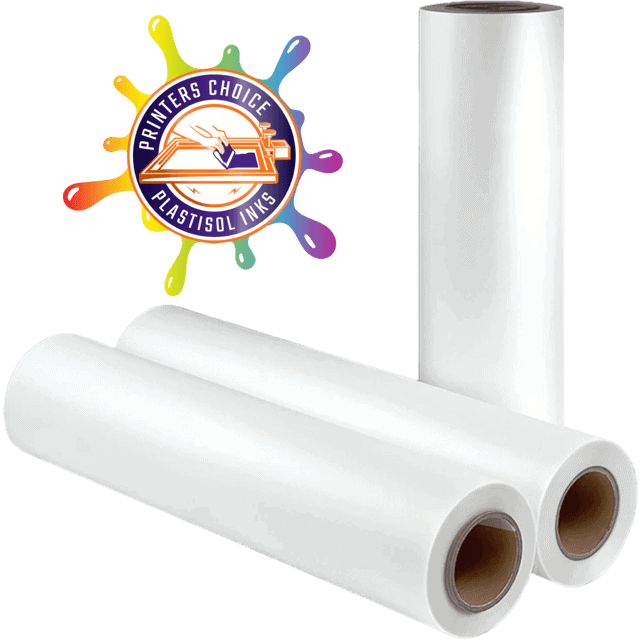
Printers Choice DTF Transfer Film is a premium double-sided coated direct-to-film transfer film available in both cut sheets and rolls for use with any roll-enabled desktop DTF printer. Print full-color designs in mirror mode, apply DTF adhesive powder, cure under heat, and press to virtually any fabric with a standard heat press. No pre-treatment required. Hot and cold peel compatible. Excellent transfer elasticity and clean ink absorption with zero water-edge artifacts.
Price range: $19.99 through $99.99
Description
Printers Choice DTF Film — The Flexible Format for Every Shop Size
Not every DTF operation runs a 24-inch wide-format printer. Printers Choice DTF Film serves the growing market of desktop DTF operators — shops using modified Epson printers, entry-level dedicated DTF systems, and on-demand custom decoration setups. The sheet format is ideal for single-order custom printing. The roll format scales up for batch production. Either way, you get the same premium double-sided matte coating, clean ink absorption, easy powder shake-off, and flexible peel capability that professional results require.
Key Features
The print-side matte coating accepts ink evenly without spreading, gives you a clear visual cue for correct film orientation, and provides better grip against the printer’s feed rollers. The smooth reverse side minimizes roller slippage — a key advantage for desktop DTF printers that use pinch-roller feed systems.
Water-edge artifacts are discolored rings that appear around transfer designs caused by ink migrating beyond the intended print area. Printers Choice film’s premium coating absorbs ink within the printed area cleanly, keeping your transfer edges sharp and your design colors accurate.
After printing, DTF powder must bond only to wet ink — all excess must shake off completely. Printers Choice film’s release coating allows powder to bond cleanly to ink areas and release cleanly from dry areas, leaving sharp-edged transfers without powder halos or ghost coverage.
The ink and adhesive layer of a finished Printers Choice DTF transfer flex together as one unit, maintaining integrity on stretch fabrics, athletic wear, and ribbed garments that expand and contract with movement and repeated washing.
Hot peel immediately after pressing speeds up production on cotton runs. Cold peel — waiting 15–30 seconds for the transfer to cool — maximizes adhesion on polyester, nylon, and stretch materials. Printers Choice film handles both without compromising transfer quality.
Load one sheet, set your RIP to the correct media size, print in mirror mode, apply powder, cure, and press. No roll loading, no minimum footage, no waste from start/stop transitions. Ideal for custom shirt shops, school orders, and event printing.
Complete DTF Process — Step by Step
Heat Press Application Guide
| Fabric | Temp | Dwell | Pressure | Peel | Notes |
|---|---|---|---|---|---|
| 100% Cotton | 300–320°F | 12–15 sec | Med-Firm | Cold | Best adhesion; most forgiving substrate. |
| 50/50 Poly-Cotton | 305–315°F | 12–15 sec | Med-Firm | Cold | Most popular DTF substrate. |
| 100% Polyester | 275–295°F | 10–12 sec | Light-Med | Cold | Lower temp prevents dye migration. |
| Athletic / Performance | 275–295°F | 10–12 sec | Light | Warm | Stretches without cracking. |
| Nylon | 265–285°F | 10–12 sec | Light | Cold | Test on specific nylon type first. |
| Denim / Canvas | 305–315°F | 15–18 sec | Firm | Cold | Heavier weave needs longer dwell. |
Substrate & Fabric Compatibility
DTF transfers adhere to virtually any fabric — no pre-treatment required on any substrate.
| Fabric | Compatibility | Pre-Treatment | Notes |
|---|---|---|---|
| 100% Cotton | Excellent | None | Best adhesion; ideal starting point |
| 50/50 Poly-Cotton | Excellent | None | Most popular DTF substrate |
| 100% Polyester | Excellent | None | Lower press temp; test for dye migration |
| Athletic / Performance | Excellent | None | Stretches and recovers without cracking |
| Tri-Blend | Very Good | None | Soft hand; wash test recommended |
| Nylon | Good | None | Lower temp; test on specific type |
| Denim / Canvas | Very Good | None | Longer press time for thick weave |
| Silk / Delicates | Not Recommended | — | Heat press temperatures damage delicate fibers |
What You Need Alongside Printers Choice Film
Hot-melt TPU adhesive powder — bonds transfers to cotton, poly, blends, nylon, and more.
USA-made contained powder applicator. Cleaner, safer than open-air manual dusting.
Eco-friendly Italian-made 13″ DTF film with photographic-quality transfers.
Technical Specifications
| Specification | Detail |
|---|---|
| Brand | Printers Choice |
| Format | Available in cut sheets and rolls |
| Film Construction | Double-sided coated — matte print side, smooth reverse feed side |
| Peel Type | Hot peel and cold peel compatible |
| Ink Absorption | Even absorption; no water-edge artifacts; no ink migration beyond design boundary |
| Powder Release | Clean excess shake-off; sharp transfer edges with no powder halos |
| Transfer Elasticity | Excellent — stretches and recovers without cracking |
| Printer Compatibility | Any roll-enabled desktop DTF printer |
| Print Orientation | Mirror / reverse mode — matte side faces printhead |
| Fabric Compatibility | Cotton, polyester, blends, nylon, leather, spandex, denim, and more |
| Operating Humidity | 50–70% RH recommended for best results |
| Operating Temperature | 75–80°F shop environment recommended |
| PPE Required | Mask, gloves, eye protection during powder application |
Technical Sheets / Safety Data Sheets / Documents
FREQUENTLY ASKED QUESTIONS
Frequently Asked Questions — Printers Choice DTF Film
Printers Choice DTF film is designed for any roll-enabled desktop DTF printer — including modified Epson desktop models (L1800, P600, XP-15000, and similar) and purpose-built desktop DTF systems. For 24-inch wide-format printers like the STS XPD-924D, use the STS 24-inch V8 film or CCI 23.6-inch film instead — those are engineered for wide-format vacuum conveyor systems.
Always print on the matte side — the slightly more textured surface. The smooth side feeds against your printer’s rollers. On Printers Choice film the two sides are distinguishable by texture. If you print on the wrong side, ink beads rather than absorbs — run a quick test strip when loading a new box or roll.
Yes — always print in mirror (reverse / flip horizontal) mode. The design prints face-down on the film and transfers face-up onto the garment. If you print normally, the design reads backwards on the finished shirt. Your RIP software or printer driver has a mirror or flip horizontal option — enable it for every DTF job.
Yes. DTF works on dark garments because white ink creates an opaque base coat that covers the fabric color completely. Configure your RIP software for DTF dark-fabric mode, which prints white underbase at full opacity before the CMYK layers land on top. The white base is what makes colors appear vivid on black, navy, and other dark shirts.
Water-edge artifacts are ghosted rings that appear around the outside of a finished transfer. They are caused by ink migrating beyond the design area on low-quality film, applying powder too late after printing (when ink has already begun to dry and spread), or running ink loading too high in the RIP. Use premium film, apply powder within 60 seconds of print completion while ink is still wet, and verify your ink density settings are appropriate for your film type.
Yes. DTF printing requires a DTF-configured printer capable of printing white ink — a standard office inkjet cannot run DTF ink systems. You need either a dedicated DTF printer (desktop or wide-format) or an Epson desktop printer converted for DTF with the appropriate bulk ink system, white ink, and RIP software.
Store sheets flat in their original packaging in a cool, dry environment (50–70% humidity). Store rolls vertically — never lay rolls flat for extended periods as this can flatten the core and cause uneven feeding. Keep away from direct sunlight, heat sources, and chemical fumes. Film exposed to excess humidity will buckle, misfeed, and produce poor ink absorption results.
Yes — powder that falls off the film and is collected in a clean containment tray can be reused as long as it has not been exposed to heat, moisture, or contamination. Store reclaimed powder in a sealed container in a cool, dry location. Discard any powder that has clumped, partially melted, or been contaminated.
Reviews
Only logged in customers who have purchased this product may leave a review.
You May Also Like
Related products
-
Sale!

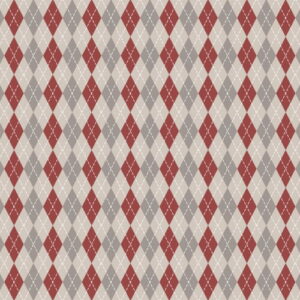
Siser Easy Pattern 18” Argyle Heat Transfer Vinyl
Original price was: $16.00.$4.99Current price is: $4.99. -
Sale!
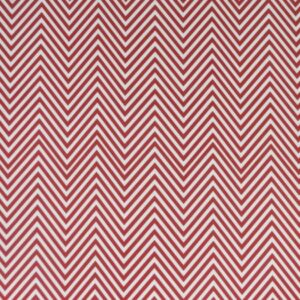
Chemica 15” Heat Transfer Vinyl Chevron Red
Original price was: $14.00.$4.99Current price is: $4.99. -
Sale!
Lumina 15” Heat Transfer Vinyl Polka Dot Pink
Original price was: $14.00.$5.00Current price is: $5.00. -
Sale!
Siser Easy Pattern 18” Polka Dots Black Heat Transfer Vinyl
Original price was: $16.00.$5.00Current price is: $5.00.
Reviews