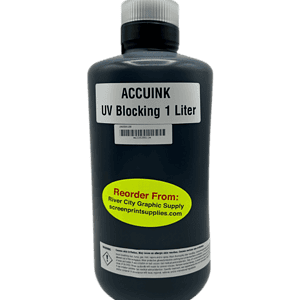
Chromaline AccuInk Ink Cartridges for Epson 3270 / 5270 / 7270 – High Density Black Ink for Film Positives

Chromaline
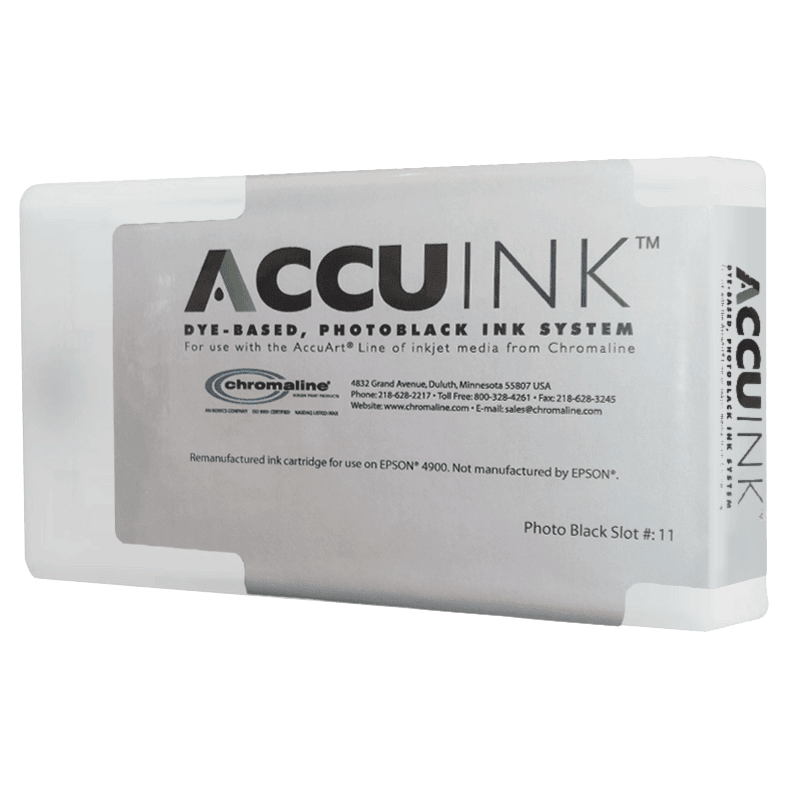
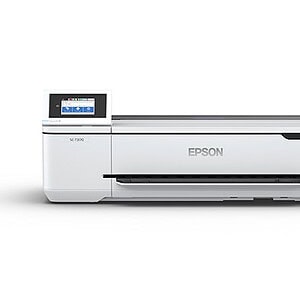
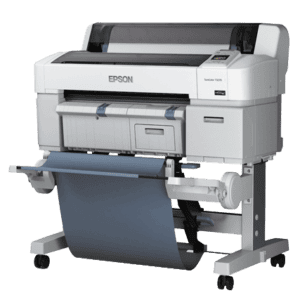
Chromaline AccuInk cartridges for the Epson SureColor T3270, T5270, and T7270 bring UV-blocking, high-density film positive output to these professional wide-format printers — spanning 24, 36, and 44 inches. Replace all ink channels with AccuInk for all-black maximum-opacity film positives from your large-format SureColor.

Epson T3270 (24in) CompatibleEpson T5270 (36in) CompatibleEpson T7270 (44in) CompatibleUV-Blocking FormulaAll-Channel Black SystemAccuJet Film CompatibleMade in USAWide-Format Film Positives
✓ Same-Day Shipping on orders before 3:30 PM CT Mon–Fri  |  ✓ Free Shipping on orders over $200  |  ✓ Call (512) 454-0505

Price range: $257.50 through $923.10

--- GLOBAL RULE LOCATIONS ---
Array
(
    [0] => stdClass Object
        (
            [post_id] => 1714
            [meta_key] => _pricing_rules
        )

    [1] => stdClass Object
        (
            [post_id] => 2853
            [meta_key] => _pricing_rules
        )

    [2] => stdClass Object
        (
            [post_id] => 2854
            [meta_key] => _pricing_rules
        )

    [3] => stdClass Object
        (
            [post_id] => 2884
            [meta_key] => _pricing_rules
        )

    [4] => stdClass Object
        (
            [post_id] => 2937
            [meta_key] => _pricing_rules
        )

    [5] => stdClass Object
        (
            [post_id] => 2941
            [meta_key] => _pricing_rules
        )

    [6] => stdClass Object
        (
            [post_id] => 2944
            [meta_key] => _pricing_rules
        )

    [7] => stdClass Object
        (
            [post_id] => 2955
            [meta_key] => _pricing_rules
        )

    [8] => stdClass Object
        (
            [post_id] => 2956
            [meta_key] => _pricing_rules
        )

    [9] => stdClass Object
        (
            [post_id] => 2957
            [meta_key] => _pricing_rules
        )

    [10] => stdClass Object
        (
            [post_id] => 2958
            [meta_key] => _pricing_rules
        )

    [11] => stdClass Object
        (
            [post_id] => 2959
            [meta_key] => _pricing_rules
        )

    [12] => stdClass Object
        (
            [post_id] => 2960
            [meta_key] => _pricing_rules
        )

    [13] => stdClass Object
        (
            [post_id] => 2961
            [meta_key] => _pricing_rules
        )

    [14] => stdClass Object
        (
            [post_id] => 2962
            [meta_key] => _pricing_rules
        )

    [15] => stdClass Object
        (
            [post_id] => 2963
            [meta_key] => _pricing_rules
        )

    [16] => stdClass Object
        (
            [post_id] => 2964
            [meta_key] => _pricing_rules
        )

    [17] => stdClass Object
        (
            [post_id] => 2965
            [meta_key] => _pricing_rules
        )

    [18] => stdClass Object
        (
            [post_id] => 2966
            [meta_key] => _pricing_rules
        )

    [19] => stdClass Object
        (
            [post_id] => 2967
            [meta_key] => _pricing_rules
        )

    [20] => stdClass Object
        (
            [post_id] => 2968
            [meta_key] => _pricing_rules
        )

    [21] => stdClass Object
        (
            [post_id] => 2977
            [meta_key] => _pricing_rules
        )

    [22] => stdClass Object
        (
            [post_id] => 3114
            [meta_key] => _pricing_rules
        )

    [23] => stdClass Object
        (
            [post_id] => 4638
            [meta_key] => _pricing_rules
        )

    [24] => stdClass Object
        (
            [post_id] => 4639
            [meta_key] => _pricing_rules
        )

    [25] => stdClass Object
        (
            [post_id] => 4667
            [meta_key] => _pricing_rules
        )

    [26] => stdClass Object
        (
            [post_id] => 3690
            [meta_key] => _pricing_rules
        )

    [27] => stdClass Object
        (
            [post_id] => 3692
            [meta_key] => _pricing_rules
        )

    [28] => stdClass Object
        (
            [post_id] => 3731
            [meta_key] => _pricing_rules
        )

    [29] => stdClass Object
        (
            [post_id] => 3752
            [meta_key] => _pricing_rules
        )

    [30] => stdClass Object
        (
            [post_id] => 3762
            [meta_key] => _pricing_rules
        )

    [31] => stdClass Object
        (
            [post_id] => 3792
            [meta_key] => _pricing_rules
        )

    [32] => stdClass Object
        (
            [post_id] => 3852
            [meta_key] => _pricing_rules
        )

    [33] => stdClass Object
        (
            [post_id] => 3980
            [meta_key] => _pricing_rules
        )

    [34] => stdClass Object
        (
            [post_id] => 4013
            [meta_key] => _pricing_rules
        )

    [35] => stdClass Object
        (
            [post_id] => 4020
            [meta_key] => _pricing_rules
        )

    [36] => stdClass Object
        (
            [post_id] => 4022
            [meta_key] => _pricing_rules
        )

    [37] => stdClass Object
        (
            [post_id] => 4044
            [meta_key] => _pricing_rules
        )

    [38] => stdClass Object
        (
            [post_id] => 4205
            [meta_key] => _pricing_rules
        )

    [39] => stdClass Object
        (
            [post_id] => 4270
            [meta_key] => _pricing_rules
        )

    [40] => stdClass Object
        (
            [post_id] => 4272
            [meta_key] => _pricing_rules
        )

    [41] => stdClass Object
        (
            [post_id] => 4620
            [meta_key] => _pricing_rules
        )

    [42] => stdClass Object
        (
            [post_id] => 4651
            [meta_key] => _pricing_rules
        )

    [43] => stdClass Object
        (
            [post_id] => 4673
            [meta_key] => _pricing_rules
        )

    [44] => stdClass Object
        (
            [post_id] => 4946
            [meta_key] => _pricing_rules
        )

    [45] => stdClass Object
        (
            [post_id] => 5355
            [meta_key] => _pricing_rules
        )

    [46] => stdClass Object
        (
            [post_id] => 5390
            [meta_key] => _pricing_rules
        )

    [47] => stdClass Object
        (
            [post_id] => 5398
            [meta_key] => _pricing_rules
        )

    [48] => stdClass Object
        (
            [post_id] => 5407
            [meta_key] => _pricing_rules
        )

    [49] => stdClass Object
        (
            [post_id] => 5445
            [meta_key] => _pricing_rules
        )

)

Description

Chromaline AccuInk for the Epson SureColor T3270 / T5270 / T7270

The Epson SureColor T3270, T5270, and T7270 are wide-format workhorses — 24, 36, and 44 inches of professional inkjet output that screen printers have been using for film positives for years. Chromaline AccuInk replaces OEM inks with a UV-blocking dye formula engineered specifically for film positive production. But how you configure the ink system matters — and there are two distinct approaches. Here’s everything you need to know to choose the right setup for your shop.

🖨️ T3270 · T5270 · T7270 Compatible
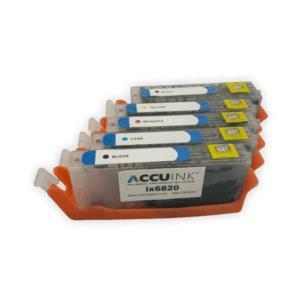
AccuInk cartridges are engineered for the SureColor T-series cartridge system — available for each individual ink channel across the 24in, 36in, and 44in printer models.
☀️ UV-Blocking for Clean Stencils
AccuInk’s UV-blocking formula blocks the wavelengths used in screen exposure, producing dense, opaque film positives that expose sharp, clean emulsion stencils.
📐 Wide-Format Output
From 24-inch separations on the T3270 to 44-inch oversize positives on the T7270, AccuInk handles the full T-series print width range.
💰 Lower Cost Than SureColor OEM
Epson SureColor OEM cartridges carry premium pricing. AccuInk delivers superior film positive density at significantly lower cost per cartridge.

Two Ink Configuration Options — Which Is Right for You?

When setting up the T3270/T5270/T7270 for screen printing film positives, screen printers use one of two ink configurations. Both work — but they have meaningfully different strengths, costs, and ideal use cases. Understanding the difference will save you money and headaches.

Option A — All Black System
Replace every ink channel with AccuInk black

All cartridge slots — including the color channels — are replaced with Chromaline AccuInk black cartridges. When driven through CADlink FilmMaker RIP, every print head fires black ink simultaneously, maximizing total ink volume deposited on the film with every pass.

✅ PROS
  • Maximum possible ink density — all channels contributing black means the highest DMAX achievable on film
  • Best choice for halftone work — more ink volume = sharper dot edges and better tonal range when used with FilmMaker RIP
  • Most opaque output for exposing high mesh counts (180+ mesh) where density is critical
  • Consistent density across the full print width — no variation between head zones
  • Simpler workflow — one ink in all slots, one RIP profile
❌ CONS
  • Higher upfront ink cost — requires a full set of AccuInk cartridges across all channels
  • Color channels cannot be used for any other purpose while configured this way
  • Chip resetter required to authorize non-OEM cartridges in color slots
  • Slightly more complex initial setup if you’ve never used an all-black system before
Best for: High-volume shops, halftone and process work, shops regularly exposing fine detail at high mesh counts
Option B — Photo Black + Clear Flush Cartridges
Photo black in the black slot; clear cleaning solution in color slots

The Photo Black AccuInk cartridge goes in the designated black ink slot. The remaining color slots are filled with clear cartridges containing printer head cleaning/flushing solution — keeping those heads wet and clear without putting black ink through them. FilmMaker RIP then drives only the black channel.

✅ PROS
  • Lower ongoing ink cost — AccuInk only in the black slot; clear flushing fluid is inexpensive
  • Easier on the printer long-term — color heads stay lubricated and clear, reducing clog risk
  • Good option for lower-volume shops that don’t need maximum density on every job
  • Less waste if you occasionally need to revert the printer back to color use
  • Simpler cartridge management — only one AccuInk cartridge to replace when empty
❌ CONS
  • Lower maximum density than the All Black System — only one channel contributing ink
  • Less ideal for fine halftone work where density and dot edge sharpness matter most
  • May require more passes or RIP software density compensation to match All Black output
  • Not recommended for exposing high-mesh screens (200+ mesh) where every bit of opacity matters
  • Output quality more dependent on FilmMaker RIP settings to compensate for single-channel density
Best for: Lower-volume shops, spot color work at standard mesh counts, shops that need flexibility to use color output occasionally

🔲 Why CADlink FilmMaker RIP Makes Both Systems Work Better

Regardless of which ink configuration you choose, CADlink FilmMaker RIP v10 is the software that unlocks the full potential of your T-series for screen printing film positives. Here’s specifically what it does:

Halftone Screening Control
FilmMaker gives you full control over halftone dot shape (round, elliptical, diamond), frequency (lpi), and angle. Standard Epson drivers output halftones as photographic gradients — not the hard-edged screen printing dots you need. FilmMaker outputs true AM halftone screens tuned for film positive production.
Ink Density Maximization
The standard Epson SureColor driver caps ink volume to protect paper media from saturation. FilmMaker bypasses this cap entirely — pushing each active channel to maximum output, which is exactly what you need for UV-blocking film positives. This is the single biggest density improvement you can make.
Channel Assignment & Linearization
FilmMaker lets you assign which ink channels output black for the All Black System, or restrict output to only the Photo Black channel for Option B. Linearization curves ensure consistent density from shadow to highlight — critical for accurate halftone dot reproduction on film.
👉 Bottom line on halftones: Without FilmMaker RIP, your T3270/T5270/T7270 outputs halftones as photographic dithering — unusable for screen printing. With FilmMaker, you get clean, hard-edged halftone dots at the frequency and angle you set — the difference between a film positive that exposes a clean stencil and one that doesn’t.

Compatible Printer Models

Printer Model Max Print Width Recommended Config
Epson SureColor T3270 24 in All Black or Photo Black + Clear
Epson SureColor T5270 36 in All Black or Photo Black + Clear
Epson SureColor T7270 44 in All Black or Photo Black + Clear
⚠️ Important Notes
Wide-format SureColor T-series printers use high-capacity cartridges. Full sets replace all ink channels. Individual channel cartridges are also available for maintenance. A chip resetter is required when placing AccuInk cartridges in the color slots (All Black System). CADlink FilmMaker RIP v10 is required for maximum density and proper halftone output — standard Epson drivers will not achieve professional-quality film positives on either configuration.
Upgrade your SureColor T-series for screen printing
Order by 3:30 PM CT Mon–Fri for same-day shipping · Free shipping over $200
📞 (512) 454-0505  |  ✉️ [email protected]

Technical Specifications

Technical Specifications

Specification Detail
SKU Chromaline T3270/5270/7270 Ink
Brand Chromaline
Compatible Printers Epson SureColor T3270 (24in), Epson SureColor T5270 (36in), Epson SureColor T7270 (44in)
Ink Type Dye / Water-Based with UV Blocker
Configuration Option A All Black System — AccuInk black in every channel for maximum density
Configuration Option B Photo Black AccuInk in black slot + clear flushing solution in color slots
Best Use — All Black Halftone work, process printing, high mesh counts (180–355 mesh), maximum density required
Best Use — Photo Black + Clear Spot color work, lower-volume shops, standard mesh counts, shops needing occasional color flexibility
Max Print Width 24 in (T3270) · 36 in (T5270) · 44 in (T7270)
Film Compatibility Chromaline AccuJet Waterproof Inkjet Film — rolls available in 24in, 36in, and 44in widths
Recommended RIP Software CADlink FilmMaker RIP v10 — required for max density, halftone screening, and channel assignment
RIP Halftone Control AM halftone screening — dot shape, frequency (lpi), and angle control not available through standard Epson driver
Made In USA
Chip Resetter Required Yes — required when placing AccuInk in color slots (All Black System)

Technical Sheets / Safety Data Sheets / Documents

FREQUENTLY ASKED QUESTIONS

Frequently Asked Questions

Which Epson printers does this AccuInk kit work with?
This kit is designed for the Epson SureColor T3270 (24in), Epson SureColor T5270 (36in), and Epson SureColor T7270 (44in). All three share the same cartridge architecture. Select your printer model when ordering to receive the correct cartridge configuration.
What is the difference between the All Black System and Photo Black + Clear?

All Black System: Every cartridge slot is replaced with AccuInk black. When driven through CADlink FilmMaker RIP, every print head fires simultaneously for maximum ink density — best for halftone work and exposing high-mesh screens.

Photo Black + Clear: AccuInk Photo Black goes in the designated black slot only. Clear flushing solution fills the remaining color slots to keep those heads lubricated without putting ink on the film. Lower ongoing cost, easier on the printer, but lower maximum density than All Black.

Which configuration should I choose for halftone screen printing?
The All Black System is strongly recommended for halftone work. Maximum ink density means sharper dot edges and better tonal separation. Pair it with CADlink FilmMaker RIP v10 — which outputs true AM halftone dots with control over lpi, dot shape, and screen angle. Standard Epson drivers output photographic dithering, not screen-printable halftone dots.
Why do screen printers put clear cleaning solution in the color slots?
Inkjet print heads need to stay wet to avoid clogging. Clear flushing solution keeps the color heads lubricated without putting unwanted ink on the film. It’s head maintenance fluid in cartridge form — used when you want a cost-effective single-channel setup without risking print head damage from dried-out heads.
What does CADlink FilmMaker RIP actually do for halftones?

CADlink FilmMaker RIP v10 does three things the standard Epson driver cannot:

1. Ink density maximization: Bypasses the Epson driver’s ink cap and pushes every active channel to maximum output for UV-blocking density.

2. True AM halftone screening: Outputs hard-edged halftone dots at your chosen lpi and angle — not photographic dithering. This is the difference between a positive that exposes a clean stencil and one that doesn’t.

3. Channel assignment and linearization: Routes output through all channels (All Black) or Photo Black only, with linearization curves for consistent density from highlight to shadow.

Can I order individual channel cartridges instead of a full set?
Yes — individual channel cartridges are available for maintenance and partial replacement. The Full Set is recommended for initial setup. For the Photo Black + Clear configuration, you only need AccuInk for the black slot — order clear flushing cartridges separately for the color slots.
What film do you recommend for the T3270/T5270/T7270?
Chromaline AccuJet Waterproof Inkjet Film in roll format — available in 24in, 36in, and 44in widths to match each T-series printer. AccuJet is formulated to work with AccuInk and delivers consistent high-density output when driven through FilmMaker RIP.
Questions about All Black vs Photo Black + Clear — or which setup is right for your shop?
Call (512) 454-0505 or email [email protected] — Mon–Fri 9am–5pm CT

Reviews

Reviews

Only logged in customers who have purchased this product may leave a review.

You May Also Like

Additional Options