
Siser Glitter Currant HTV | 20″ Wide Glitter Heat Transfer Vinyl
Siser
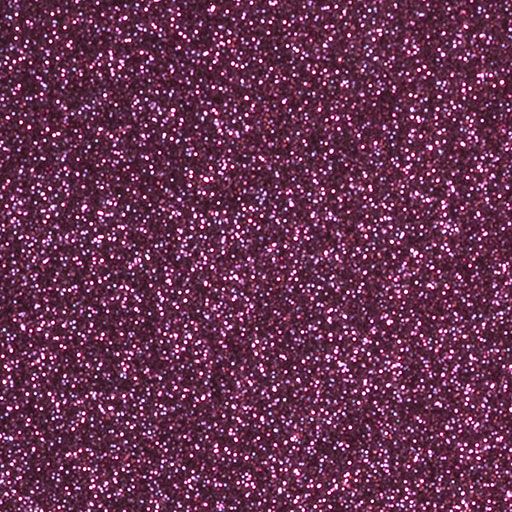
Siser Glitter Currant is a bold, high-energy glitter that pops on team, spirit, and statement designs. A textured, single-layer glitter HTV that presses in one pass for maximum sparkle with no shedding.
Price range: $7.00 through $593.99
Description
Siser Glitter Currant Heat Transfer Vinyl
Siser Glitter Currant is a bold, high-energy glitter that pops on team, spirit, and statement designs. This textured, single-layer glitter heat transfer vinyl presses in one pass for maximum sparkle – no shedding, no mess – and holds its shine wash after wash.
Design Ideas for Glitter Currant
How to Apply Siser Glitter
What Glitter Currant Pairs With
Glitter Currant layers beautifully as a top accent over solid EasyWeed. Popular pairings:


What You Get
See Siser Glitter in Action
All Siser Glitter Colors
Tap any color to shop that shade. Every Siser Glitter color cuts, weeds, and presses the same way.


Glitter vs. EasyWeed vs. Holographic
| Feature | Glitter | EasyWeed | Holographic |
|---|---|---|---|
| Finish | Textured glitter | Smooth matte | Rainbow-shift |
| Best Use | Bold sparkle accents | Everyday lettering | Statement shine |
| Thickness | 325 micron | 90 micron | 110 micron |
| Layering | Top layer only | Fully layerable | Top layer only |
| Peel | Warm | Warm or cool | Cold |
Good to Know
Technical Specifications
| Application instructions (home iron) • Set iron dial between Cotton and Linen • Cover design with Multipurpose Paper or Heat Transfer Cover Sheet • Place on flat, hard surface (ironing board not recommended) • Press iron with medium/firm pressure (do not slide iron) • Press each section of design for 15-20 seconds • If areas of design lift after application, replace cover sheet and re-press for 10 seconds • Peel carrier warm | Application Instructions (heat press) • Cover design with Multipurpose Paper or Heat Transfer Cover Sheet • Preheat garment for 2-3 seconds • Apply design at 320°F/160°C • Use medium pressure for 15-20 seconds • Peel carrier warm |
 | Cricut: Blade: Standard Setting: Iron-on+ |
 | Silhouette Cameo: Blade: Standard, 4 Material: Heat Transfer, Smooth Speed: 8 Force: 11 |
 | Brother ScanNCut: Blade: Standard, 3 Cut Speed: 1 Cut Pressure: 5 |
 | Roland GX/GS-24: Blade: 45° Gram Force: 180-190 Offset: .250 Speed: 30 cm/s |
 | Graphtec: Blade: 45° Force: 17 Tool: CB09U+0 Speed: 30 cm/s |
 | MH, SC2, LP3, and Titan1: Blade: 45°/60° Gram Force: 120-130 Speed: 300 mm/s *Blade Advancing Varies |
 | Titan 2 & 3: Blade: 45°/60° Gram Force: 100-110 Speed: 300 mm/s *Blade Advancing Varies |
Settings may vary based on blade condition and age of machine. Always perform a test cut prior to cutting designs.
How to Use:
- Cut your design in reverse using a vinyl cutter.
- Weed away excess material, leaving your glittery design on the carrier sheet.
- Place your design on the fabric.
- Use a heat press or household iron to apply heat and pressure, allowing the vinyl to adhere securely.
- Peel off the carrier sheet, revealing your brilliant, glittering creation.
Laundering:
- Wait 24 hours before first wash
- Machine wash warm or cold / mild detergent
- Dry on normal dryer setting
- Do not dry clean
Technical Sheets / Safety Data Sheets / Documents
FREQUENTLY ASKED QUESTIONS
Reviews
Only logged in customers who have purchased this product may leave a review.
You May Also Like
Related products
-
Sale!

Siser Twinkle 20″ Royal Blue Glitter HTV for Shirts
Price range: $7.00 through $564.99 -
Sale!
River City 20” Fuzzy Foil Heat Transfer Vinyl Pattern – Metallic Brilliance
Original price was: $12.00.$5.00Current price is: $5.00. -
Sale!
Siser Easyweed 15” Stretch Charcoal Heat Transfer Vinyl – Thin and Flexible HTV
Original price was: $10.99.$5.00Current price is: $5.00. -

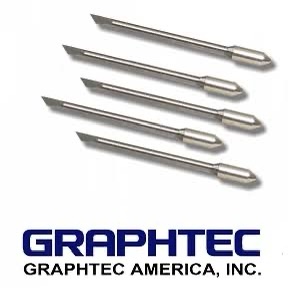
Graphtec Cutter Plotter Blades – Precision 45° & 60° Blades for Vinyl & More (Pack of 5)
$83.75

Reviews