Kimodesk Laser Film – Laser Printer Transparencies for Fast, Accurate Screen Printing Film Positives
Kimodesk
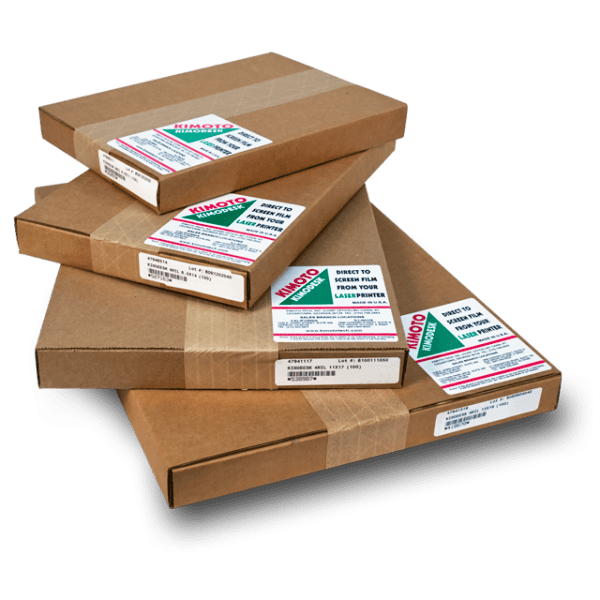
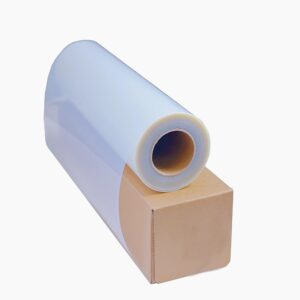
Kimodesk Laser Film is a 3mil polyester transparency built for screen printers who want a fast, camera-free way to make film positives. Print your artwork on any laser printer, lay the film on your screen, and expose – no cameras, no processors, no extra steps.
Price range: $49.99 through $130.99
Description
Kimodesk Laser Film for Screen Printing
Kimodesk Laser Film is a high-performance laser printer transparency engineered for screen printers who want a simple, camera-free method for producing crisp film positives. The premium polyester film delivers sharp, opaque toner images that expose cleanly and consistently on your emulsion – so you burn tighter stencils in less time. Print, place, expose. That is the whole workflow.
Why Screen Printers Use Laser Film
If you have a laser printer, you already have a film-positive system. Kimodesk makes it work:
What It Is Used For
How to Make Film Positives with Kimodesk
Available Sizes
Pick the size that fits your printer and your largest screen:
What You Get
Pairs Great With
Everything you need for the film-to-screen workflow:
Technical Specifications
| Technical Specifications | |
|---|---|
| Product | Kimodesk Laser Film |
| Brand | Kimoto (Kimodesk) |
| SKU | Kimodesk Film For Laser Printers |
| Film Type | Laser printer transparency for film positives |
| Base | 3mil polyester |
| Coating | Double-sided, printable, anti-static |
| Printer Compatibility | Laser printers only (not for inkjet) |
| Image | Dense, opaque toner – sharp lines and halftones |
| Heat Performance | Handles laser fuser heat without warping or distortion |
| Use | Screen printing film positives and photonegatives |
| Compatible With | Standard screen printing emulsions and capillary films |
| Available Sizes | 8.5″ x 11″, 8.5″ x 14″, 11″ x 17″, 13″ x 19″ |
Full manufacturer specs are on the Documents tab (Kimodesk spec sheet). For maximum opacity, use your printer’s highest density setting or a film-optimized RIP.
Technical Sheets / Safety Data Sheets / Documents
Documents & Downloads
Quick specs are also on the Technical Specs tab.
FREQUENTLY ASKED QUESTIONS
Reviews
Only logged in customers who have purchased this product may leave a review.
You May Also Like
Related products
-

Chromaline AccuJet 11″×17″ Inkjet Film Screen Printing Positives (100 Sheets)
$80.45 -
Chromaline AccuJet 8.5″×14″ Inkjet Film Screen Printing Positives (100 Sheets)
$50.23 -
Chromaline AccuInk Bulk Black Ink – High Density Ink for Screen Printing Film Positives
$208.00 -
Chromaline AccuJet 17″X100′ Inkjet Film Roll – 2″ Core
Price range: $81.81 through $319.96
Reviews