
Siser EasyWeed 20″ Black HTV | By the Yard
Siser
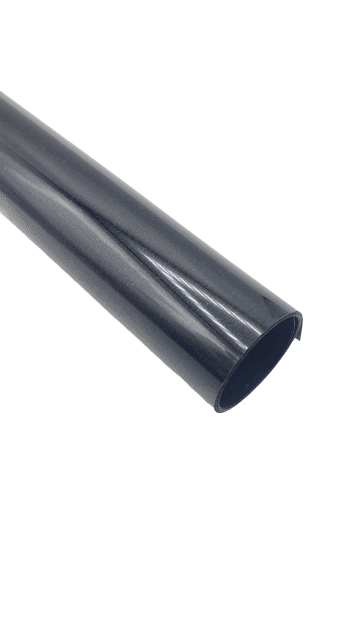

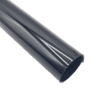

Siser EasyWeed® 20″ Black Heat Transfer Vinyl is a deep, solid black — the everyday workhorse for crisp lettering and detailed artwork on light apparel. Genuine Siser EasyWeed, sold 20″ wide, by the yard — it cuts smooth, weeds in seconds and presses at a low 305°F for a soft, durable finish. Great for team names, lettering, outlines and layering with brighter colors.
Genuine Siser EasyWeed
1, 5, 10, 25 & 50-yd rolls
Great for beginners
10-15s, hot or cold peel
Price range: $13.99 through $447.99
Description
Siser EasyWeed® 20″ Black Heat Transfer Vinyl
EasyWeed® Black is a deep, solid black — the everyday workhorse for crisp lettering and detailed artwork on light apparel. It is a go-to for team names, lettering, outlines and layering with brighter colors. Sold 20″ wide by the yard, Black cuts clean, weeds fast and presses at a low 305°F for a soft, durable finish on cotton, polyester and blends.
Colors That Pair With Black
Black looks sharp alongside Red, Royal Blue and Silver for high-contrast, professional designs. Mix and match from the full color chart below — every color ships 20″ wide, by the yard.
Watch: How to Cut, Weed & Press EasyWeed
New to Heat Transfer Vinyl? Start Here
EasyWeed is the perfect vinyl to learn on. Here is the whole process in three simple steps:
1 · Design & cut (mirrored)
Create your design and flip/mirror it. Load EasyWeed with the shiny carrier side down, color side up and cut. No need to cut through the clear carrier – just the vinyl.
2 · Weed away the extra
Peel away the vinyl you do not need with a weeding tool, leaving just your design on the clear carrier sheet. EasyWeed weeds cleanly, even on fine detail.
3 · Press & peel
Place your design on the garment, press at 305°F for 10-15 seconds with medium pressure, then peel the carrier hot or cold. Done!
Why Printers & Crafters Choose EasyWeed
Easy to cut & weed
A thin 90-micron material with a pressure-sensitive carrier – it cuts crisp and weeds fast, even on small text.
Low 305°F press
Lower application temperature than most HTV, with a forgiving hot-or-cold peel that is beginner friendly.
Soft, durable finish
Thin, soft hand with strong adhesion and dependable wash durability – great for single-color or layered designs.
20″ wide, by the yard
The wide 20″ format suits wide-format cutters and gangs more designs per yard. Buy 1, 5, 10, 25 or 50 yards.
Available EasyWeed 20″ Colors
Click any color below to shop that exact EasyWeed 20″ color, sold by the yard.
Recommended Cutting Settings
Cut EasyWeed shiny side down (color side up) and remember to mirror your design. Below are Siser’s official EasyWeed cut settings for the most popular machines, including the Siser Juliet® 12″ and Siser Romeo® 24″ cutters.
Heat Press & Pressing Instructions
Heat Press
- Preheat the garment 2-3 seconds to remove moisture
- Temperature: 305°F / 150°C (EasyPress users add ~30°)
- Cover the design with a cover sheet or multipurpose paper
- Press with medium pressure for 10-15 seconds
- Peel the carrier hot or cold
- If any area lifts, re-cover and press again 5-10 seconds
Home Iron
- Set the iron between the Cotton and Linen setting
- Use a firm, flat surface (not an ironing board)
- Cover with a cover sheet or multipurpose paper
- Apply firm pressure without sliding, 10-15 seconds per section
- Peel the carrier hot or cold
- Re-press 5-10 seconds if needed
Works on
100% cotton, 100% polyester, cotton/poly blends and leather. Great for tees, hoodies, bags, caps and more.
Wash & care
Wait 24 hours before the first wash. Machine wash cold with mild detergent, tumble dry normal. Do not dry clean; avoid liquid fabric softener.
Why Buy From River City Supply?
Real screen printers. Real support. Genuine Siser EasyWeed.
Need a cutter?
The Siser Juliet (12″) and Romeo (24″) cut EasyWeed beautifully right out of the box.
Apply for financing
Kitting out your shop? Spread the cost with simple equipment financing.
Technical Specifications
Siser EasyWeed® 20″ HTV – Specifications
Technical Sheets / Safety Data Sheets / Documents
FREQUENTLY ASKED QUESTIONS
Siser EasyWeed® 20″ HTV – Frequently Asked Questions
Why Buy From River City Supply?
Real screen printers. Real support. Genuine Siser EasyWeed.
Reviews
Only logged in customers who have purchased this product may leave a review.
You May Also Like
Related products
-
Sale!

Siser Twinkle 20″ Royal Blue Glitter HTV for Shirts
Price range: $7.00 through $564.99 -
Sale!
Red Siser Twinkle 20″ Glitter HTV Vinyl
Price range: $7.00 through $564.99 -
Graphtec CE8000-130 Plus 50” Plotter – Quiet Performance for Wide-Format Cutting – FREE SHIPPING
$4,895.00 -
Sale!
River City 20” Metallic Chameleon Foil Heat Transfer Vinyl – Metallic Brilliance
Original price was: $12.00.$5.00Current price is: $5.00.


Reviews