
Siser Romeo® 24″ High-Definition Cutter – Professional Wide-Format Vinyl Cutter
Siser
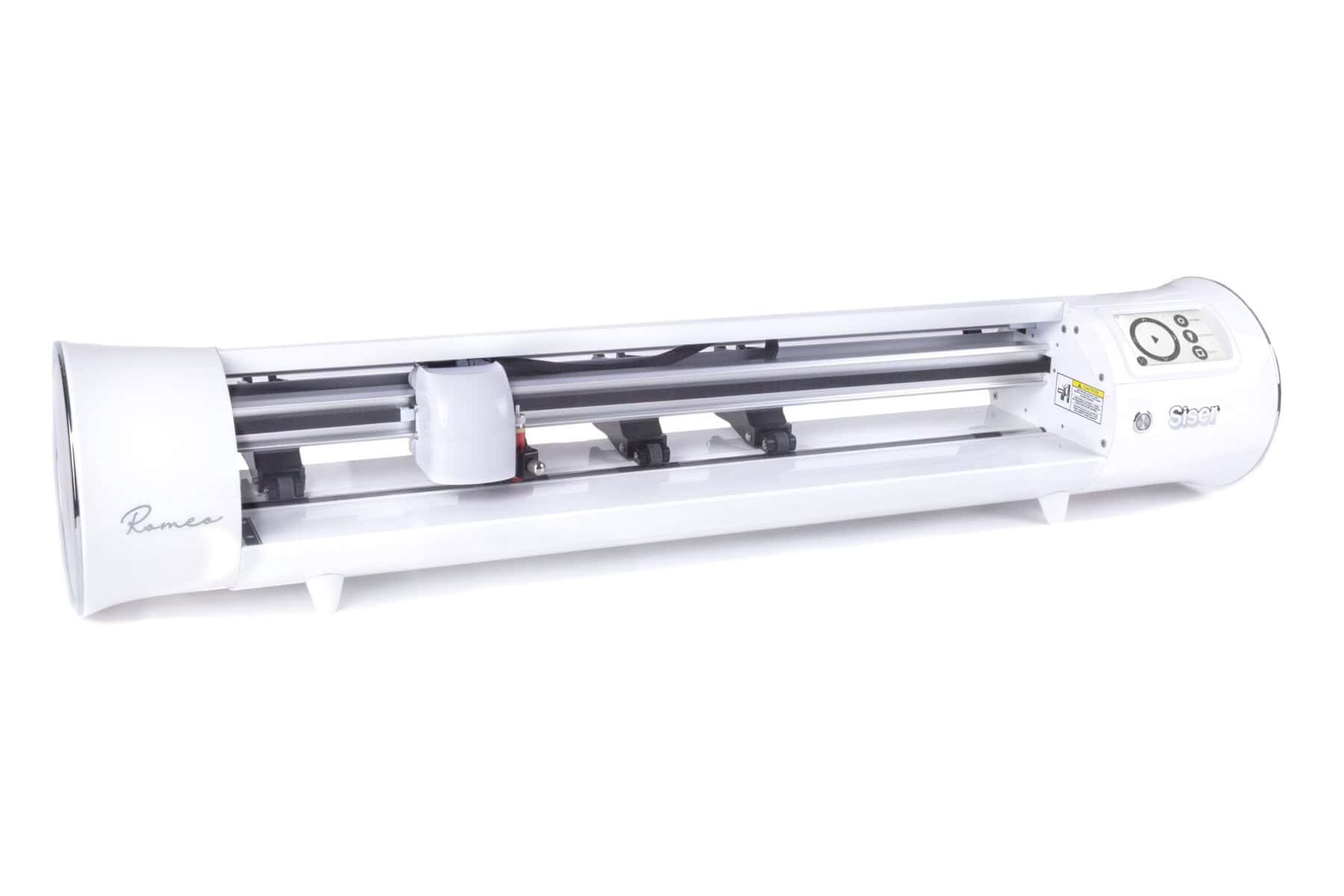
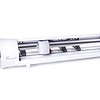
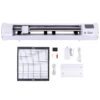

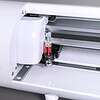
Siser Romeo 24″ High-Definition Cutter — Siser’s flagship 24″ wide-format desktop cutter — twice the cutting width of the Juliet, same precision engine, same software, same Siser support. Pre-installed cut settings for every Siser HTV and EasyPSV material, built-in registration camera for print-and-cut, 0.01mm precision, WiFi connectivity, and a touch screen interface that makes pro-grade cutting beginner-friendly. Free Leonardo Design Studio software included. Ships direct from Siser North America with FREE SHIPPING in the continental US.
$599.99
Description
Professional Vinyl Cutting in a Desktop Footprint
All the precision and pre-installed Siser cut settings of the Juliet — doubled to 24 inches of cutting width. Romeo is Siser’s flagship desktop cutter, built for production HTV shops, decal manufacturers, and decorators who need to cut wider designs than a 12″ cutter allows. Same engine, same Leonardo Design Studio, same Siser support — just twice the cutting width.
What Makes Romeo Different
Touch screen comes pre-loaded with dozens of cut settings for every Siser HTV line — EasyWeed, Glitter, Holographic, Stretch, StripFlock, Brick, Hi-5, and more — plus EasyPSV decal vinyl. Pick the material, hit Cut. Zero guesswork. You can also save your own custom settings for any material.
High-resolution camera mounted on the cutter head reads registration marks for print-and-cut workflows. Print your design with any inkjet or laser printer, drop it in the cutter, and it contour-cuts with pinpoint accuracy. Full-color decals, stickers, and DTF transfer cuts all work out of the box.
Pinpoint accuracy down to one-hundredth of a millimeter, with 800gf of cutting force — significantly more downforce than craft-tier cutters. Cuts the finest text, smallest detail, and most intricate designs cleanly through everything Siser makes.
Connect wirelessly to your PC or Mac via WiFi for cable-free workflow — or use the included USB cable for direct connection. Send jobs to the cutter from anywhere in the shop. Compatible with Windows 8.1+ and macOS 10.15+.
Advanced motor design cuts up to 60% faster than competing desktop cutters at roughly half the noise level (<78dB operation, <48dB standby). Run it next to your workspace — no grinding noise, no household disruption.
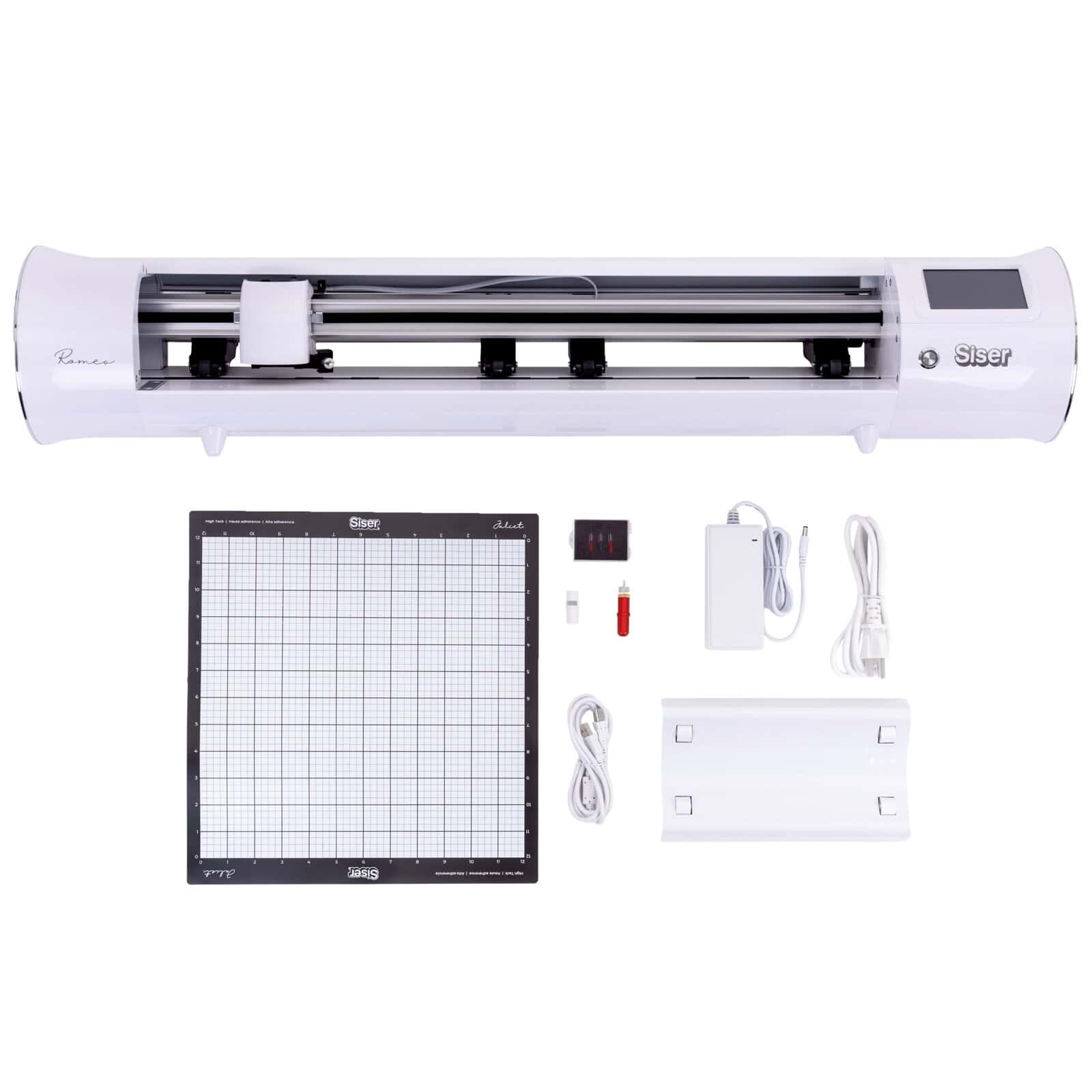
12″ × 12″ High Tack cutting mat included for sheets and small materials. Or load roll material directly and cut matless — up to 24″ wide × 180″ long. Adjustable pinch rollers let you use the full cutter width however you load it.
Sleek touch screen interface for navigating menus, picking material presets, and adjusting force, speed, blade depth, and even cut starting point in real time. Includes a built-in Test Cut feature — verify settings on a small swatch before committing your full sheet.
Beyond cutting. The included Marker Adapter holds Siser Sublimation Markers (or any compatible drawing utensil) so you can plot, draw, sketch, calligraphy, and create perfect single-line designs directly from Leonardo Design Studio.
Illuminated carriage track makes it easy to monitor cuts in low-light shop environments and verify alignment during long print-and-cut runs. Romeo-exclusive feature.
Variable grit rollers grip a wider range of media weights and thicknesses than standard pinch rollers — better for production environments handling lots of different stock. Open-workspace design accommodates rolls up to 180″ long.
What’s Included
The 24″ 24″ wide-format high-definition cutter — touch screen interface, adjustable pinch rollers, built-in registration camera, machine head with 0.01mm precision, 800gf cutting force, stepper motor with 128MB memory.
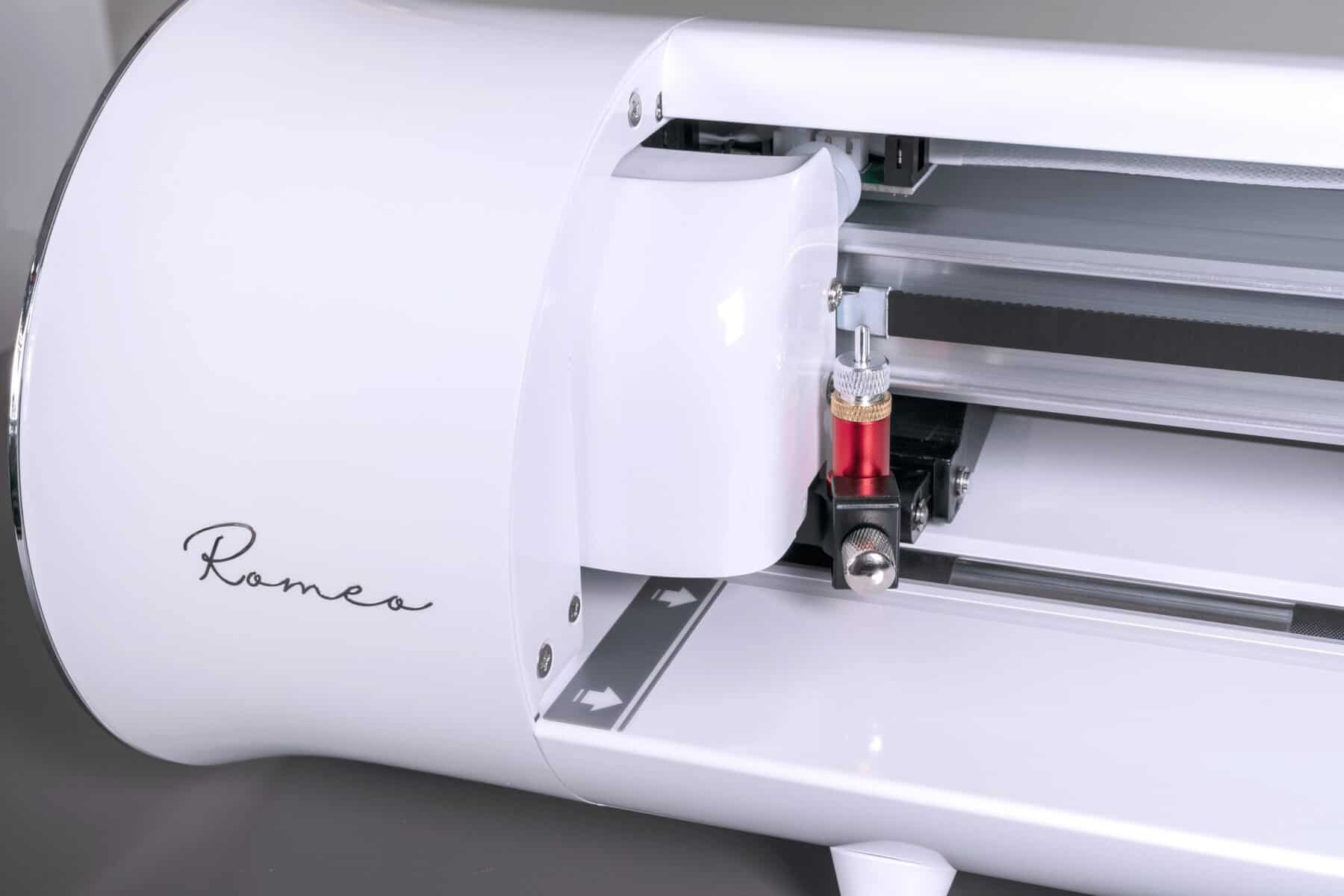
PHP-style blade housing plus two 45° blades (standard cutting) and one 60° blade (thicker materials). Replacement blades stocked in our cutter accessories section.
Holds Siser Sublimation Markers (or other drawing utensils) for sketch, draw, and calligraphy projects directly from Leonardo Design Studio.
Sheet-based cutting. Replacement mats and lighter-tack options stocked separately. Most decorators end up keeping 2-3 mats on rotation.
Direct PC/Mac connection via USB, or use WiFi for wireless workflow. AC adapter for standard 110-240V outlets.
Start cutting immediately. The included EasyWeed samples let you do your first cut without buying media first. Restock from our EasyWeed inventory.
Siser’s purpose-built design and cutting software, included free for life with every Romeo — no subscription, no monthly fee. Built-in canvas, design tools, art library with hundreds of pre-made royalty-free designs, material swatches, project inspiration, and tutorial videos. Win 8.1+ / macOS 10.15+.
Quick-start guide for first cut + full operation manual.
Full manufacturer warranty on parts and service direct from Siser North America (registration required after installation).
See the Siser Romeo in Action
What Romeo Cuts
Romeo handles virtually any material a desktop cutter should — and the pre-installed Siser settings make it especially fast for HTV and decal work. The included blades cover most jobs; specialty media (thick chipboard, leather) may need the 60° blade or specialty bladeholders.
Who Romeo Is Built For
Siser Juliet vs Siser Romeo — Side-by-Side Comparison
Juliet and Romeo share the same precision engine, the same Siser cut settings, the same Leonardo Design Studio software, the same 800-gram cutting force, and the same registration camera. The differences are cutting width, footprint, and a few Romeo-only features (LED carriage lights, variable grit rollers).
| Specification | Juliet 12″ High-Definition Cutter | ★ Romeo 24″ High-Definition Cutter |
|---|---|---|
| Cutting Width | 12″ with mat · 13.5″ matless | ★ 24″ with mat · 24″ matless |
| Maximum Roll Length | Up to 180″ matless | ★ Up to 180″ matless |
| Maximum Cutting Force | 800 gf | ★ 800 gf |
| Cutting Precision | ±0.01mm | ★ ±0.01mm |
| Repeat Precision | 0.082mm | ★ 0.082mm |
| Maximum Cutting Speed | 600 mm/s (~23.6 in/s) | ★ 600 mm/s (~23.6 in/s) |
| Maximum Moving Speed | 700 mm/s | ★ 700 mm/s |
| Processor Memory | 128 MB | ★ 128 MB |
| Motor | Stepper | ★ Stepper |
| Connectivity | USB + Flash + WiFi | ★ USB + Flash + WiFi |
| Touch Screen + Camera | Yes | ★ Yes |
| Built-in LED Carriage Lights | No | ★ Yes |
| Variable Grit Rollers | Standard pinch rollers | ★ Variable grit rollers |
| Noise (Operation) | <78 dB | ★ <78 dB |
| Weight | 15.5 lbs | ★ 21 lbs |
| Dimensions (L × W × H) | 22.32″ × 7.5″ × 7.25″ | ★ 36.5″ × 7.5″ × 7.25″ |
| Power Consumption | <100W | ★ <100W |
| Software | Free Leonardo Design Studio | ★ Free Leonardo Design Studio |
| Warranty | 1-Year Siser North America | ★ 1-Year Siser North America |
| Typical Market Price | $399–$499 | ★ $599–$699 |
| Best For | Small businesses, Etsy sellers, decorators, crafters | ★ Production shops, wide-format HTV, decal manufacturers |
Pick the Juliet (12″) if your typical work fits in a 12″ wide cut: standard HTV designs, t-shirt graphics, decal sheets up to 12″, paper crafts, and most Etsy-shop production. Saves space on the desk and $200 on the budget. Pick the Romeo (24″) if you cut wider designs: 24″ HTV rolls without splitting, large back graphics, fleet apparel, banner-width signs, wide-format decals, vehicle graphics, paint protection prep. The Romeo also includes LED carriage lighting and variable grit rollers — useful for production environments. Both cut at the same speed, with the same accuracy, using the same software.
Recommended Cut Settings — Siser HTV on Romeo
Official Siser North America recommended starting cut settings for the Romeo 24″ cutter (from siserna.com, updated 07-09-2025). All settings are starting points — adjust based on blade age, cutting strip wear, and material batch. Always run a Test Cut before committing your full sheet.
| Siser HTV Product | Blade | Force (gf) | Speed | Offset | Notes |
|---|---|---|---|---|---|
| EasyWeed® | Romeo & Juliet 45° | 5-10 | 10 | 0.250 | Standard everyday HTV — the most-used Siser product. Lowest force range. |
| EasyWeed® Stretch | Romeo & Juliet 45° | 5-10 | 10 | 0.250 | Use slower speed for very intricate designs to prevent stretching during cut. |
| EasyWeed® EcoStretch™ | Romeo & Juliet 45° | 5-10 | 10 | 0.250 | Sustainable stretchy HTV — same settings as standard EasyWeed. |
| EasyWeed® Electric | Romeo & Juliet 45° | 5-10 | 10 | 0.250 | Metallic-finish HTV — standard EasyWeed cut settings. |
| EasyWeed® Extra | Romeo & Juliet 45° | 5-10 | 10 | 0.250 | Extra-strong adhesive HTV for nylon and difficult substrates. |
| EasyWeed® Adhesive | Romeo & Juliet 45° | 5-10 | 10 | 0.250 | Permanent adhesive HTV for non-textile applications. |
| EasyWeed® Sub Block | Romeo & Juliet 45° | 5-10 | 10 | 0.250 | Blocks dye sublimation migration on poly substrates. |
| EasyReflective® | Romeo & Juliet 45° | 5-10 | 10 | 0.250 | Retroreflective HTV for safety apparel. |
| EasySubli® | Romeo & Juliet 45° | 15-20 | 10 | 0.250 | For dye sublimation onto cotton — slightly higher force. |
| EasyPatterns® Plus | Romeo & Juliet 45° | 5-10 | 10 | 0.250 | Pre-printed pattern HTV — standard force range. |
| EasyColor™ DTV® | Romeo & Juliet 45° | 5-10 | 10 | 0.250 | Direct-to-vinyl printable HTV — standard EasyWeed settings. |
| Easy® Glow | Romeo & Juliet 45° | 5-15 | 10 | 0.250 | Glow-in-the-dark HTV — slightly wider force range for variable thickness. |
| Easy® Puff | Romeo & Juliet 45° | 5-10 | 10 | 0.250 | Puff HTV — pre-puff state cuts like standard EasyWeed. |
| Easy® Puff Metallic | Romeo & Juliet 45° | 10-20 | 10 | 0.250 | Metallic-foil puff HTV — higher force for thicker carrier. |
| Easy® Puff Glitter | Romeo & Juliet 45° | 35-45 | 10 | 0.250 | Glitter puff HTV — highest standard force in HTV range. |
| PureHT™ | Romeo & Juliet 45° | 5-8 | 10 | 0.250 | Ultra-thin recyclable HTV — slightly lower force. |
| Sparkle™ | Romeo & Juliet 45° | 10-15 | 10 | 0.250 | Subtle sparkle HTV — moderate force. |
| Vernice | Romeo & Juliet 45° | 5-10 | 10 | 0.250 | Glossy painted-finish HTV — standard force. |
| Metal | Romeo & Juliet 45° | 5-10 | 10 | 0.250 | Foiled metal HTV — standard force. |
| StripFlock® Pro | Romeo & Juliet 45° | 20-25 | 10 | 0.250 | Flocked velvet-finish HTV — higher force for thicker material. |
| Glitter | Romeo & Juliet 45° | 30-35 | 10 | 0.250 | Glitter HTV — high force, may need 60° blade for fine detail. |
| DiamondDust™ | Romeo & Juliet 45° | 30-35 | 10 | 0.250 | Premium glitter HTV — high force, fine detail benefits from 60° blade. |
| Holographic | Romeo & Juliet 45° | 25-32 | 10 | 0.250 | Holographic-finish HTV — high force range. |
| Twinkle™ | Romeo & Juliet 45° | 33-37 | 10 | 0.250 | Sparkly textured HTV — high force. |
| Aurora® | Romeo & Juliet 45° | 30-35 | 10 | 0.250 | Color-shifting HTV — high force for thicker carrier. |
| Brick® 600 | Romeo & Juliet 60° | 25-37 | 10 | 0.250 | Use 60° blade — 45° NOT recommended. Extend blade for thicker material. |
If your first test cut isn’t clean, Siser recommends increasing cut force before extending the blade further from the housing. A blade exposed about a credit-card’s width is the right starting depth. Force ranges above account for blade wear — start in the middle of the range and adjust up or down.
Recommended Cut Settings — Siser EasyPSV (Decal Vinyl) on Romeo
Official Siser starting cut settings for the Romeo 24″ cutter on the EasyPSV decal vinyl line (from siserna.com). EasyPSV cuts work great with either the 45° or 60° blade — 60° is recommended for finer detail on textured materials.
| Siser EasyPSV Product | Blade | Force (gf) | Speed | Offset | Notes |
|---|---|---|---|---|---|
| EasyPSV® Starling | Romeo 45°/60° | 5-15 | 10 | 0.250 | Siser’s flagship permanent decal vinyl — 19+ colors, standard force range. |
| EasyPSV® Permanent | Romeo 45°/60° | 5-15 | 10 | 0.250 | Standard permanent decal vinyl — use Starling settings as starting point. |
| EasyPSV® Removable | Romeo 45°/60° | 5-15 | 10 | 0.250 | Removable adhesive — same starting force as permanent. |
| EasyPSV® Brushed | Romeo 45°/60° | 10-15 | 10 | 0.250 | Brushed metallic finish — slightly higher force. |
| EasyPSV® Etch | Romeo 45°/60° | 5-15 | 10 | 0.250 | Etched-glass effect vinyl — same as Starling. |
| EasyPSV® Glitter | Romeo 45°/60° | 10-15 | 10 | 0.250 | Glitter permanent vinyl — moderate force for textured surface. |
| EasyPSV® Holographic (Removable) | Romeo 45°/60° | 10-15 | 10 | 0.250 | Holographic removable — moderate force. |
| EasyPSV® Patterns | Romeo 45°/60° | 10-20 | 10 | 0.250 | Pre-printed pattern vinyl — slightly higher force. |
| EasyPSV® Glow | Romeo 45°/60° | 30-35 | 10 | 0.250 | Glow-in-the-dark permanent vinyl — high force for thicker carrier. |
| EasyPSV® Blackboard® (Removable) | Romeo 45°/60° | 15-35 | 10 | 0.250 | Chalkboard vinyl — wide force range due to material thickness variance. |
Romeo’s touch screen comes pre-loaded with every Siser material setting in this table. Tap the material on screen → tap Cut. No spreadsheet to reference, no scrolling through driver menus. Settings sync over WiFi as Siser releases new products.
Your First Cut in 6 Steps
From unboxing to your first finished cut in about 15 minutes. Romeo is genuinely beginner-friendly — most users report being productive on day one.
Place Romeo on a stable surface with 6″ clearance front and back. Plug in the AC adapter, press the power button. The touch screen lights up — you’re ready in 30 seconds.
Insert the 45° blade into the blade housing (pointed side out). Twist the upper screw to expose roughly a credit-card width of blade. Drop the housing into the tool holder and tighten the thumbscrew.
On the touch screen: Settings → WiFi → join your network. Or plug in the included USB cable. Install Leonardo Design Studio (free download from Siser) on your PC or Mac.
For HTV: load roll matless, carrier side down, under the pinch rollers. For sheet vinyl/paper: load onto the included High Tack mat first. Position pinch rollers over grit shafts and lower the load lever.
On the touch screen: Material → HTV → pick your specific Siser product. The pre-set force and speed load automatically. Hit the Test Cut button. Weed the small test piece — clean cut, intact carrier means you’re ready.
Open Leonardo Design Studio, load your SVG/PDF/AI design, click Cut. The job sends to Romeo over WiFi or USB and starts cutting immediately. Your first cut takes about 90 seconds end-to-end.
Romeo vs Craft Cutters vs Pro Plotters
Romeo’s sweet spot is the gap between craft cutters (Cricut/Silhouette) and commercial plotters (Graphtec CE-class). Here’s how the three tiers compare on the things that matter for HTV and decal production.
| Specification | ★ Siser Romeo High-Definition Cutter | Silhouette Cameo 5 Pro 24″ Craft Tier | Graphtec CE8000-60 24″ Commercial Tier |
|---|---|---|---|
| Best For | HTV decorators, decal sellers, sign shops, serious crafters | Hobbyists, scrapbookers, kids crafts | Sign shops, daily production, pro decorators |
| Cutting Width | 24″ matless | 24″ | 24″ desktop |
| Cutting Precision | 0.01mm | Not specified | ±0.1mm repeatability |
| Cutting Force | 800gf | ~400-500gf typical | 450gf |
| Registration / Print & Cut | Built-in camera | Optical sensor (basic) | ARMS 9.0 (newest generation) |
| Software | Free Leonardo Design Studio (no subscription) | Cricut Design Space (subscription for full features) | Cutting Master 5 + Studio 2 (free for life) |
| Connectivity | WiFi + USB | Bluetooth + USB | USB + Ethernet (WiFi optional) |
| Material Presets | All Siser HTV/EasyPSV pre-loaded | Generic categories | Manual settings (with library) |
| Warranty | 1-year Siser NA | 1-year Cricut | 2-year Graphtec America + lifetime phone support |
Romeo vs 24″ Alternatives — Where the Value Sits
At ~$599-$699, the Romeo sits squarely between craft-tier 24″ cutters (Silhouette Cameo 5 Pro) and commercial-tier 24″ plotters (Graphtec CE8000-60). Here’s how the value stacks up for an HTV/decal production shop.
| Specification | ★ Siser Romeo 24″ | Silhouette Cameo 5 Pro 24″ Craft Tier | Graphtec CE8000-60 24″ Commercial Tier |
|---|---|---|---|
| Typical Market Price | $599-$699 | ~$499 | ~$1,895 |
| Cutting Width | 24″ | 24″ | 24″ |
| Cutting Force | 800 gf | ~500 gf | 450 gf |
| Cutting Precision | 0.01mm | Not published | ±0.1mm repeatability |
| Software | FREE Leonardo (no subscription) | Silhouette Studio (Designer $50 / Business $100 add-ons) | Free Cutting Master 5 + Studio 2 |
| Siser HTV Pre-Set | Yes — every Siser product on touch screen | Generic categories only | Manual force/speed config |
| Print & Cut | Built-in registration camera | Optical sensor | ARMS 9.0 newer-gen |
| Warranty | 1-Year Siser NA | 1-Year Silhouette | 2-Year + lifetime phone support |
| Best Fit | HTV/decal production, Etsy at scale, sign shop daily work | Crafters, hobbyists, light production | Daily commercial sign shops, vehicle wraps |
For ~$100-200 more than a Silhouette Cameo 5 Pro, you get 60% more cutting force (800gf vs ~500gf), pre-installed Siser cut settings, a built-in registration camera, and free no-subscription software. For roughly $1,200 less than a Graphtec CE8000-60, you give up some commercial-grade build quality but gain Siser-specific workflow advantages that make a real difference if 80%+ of your output is HTV. The Romeo’s sweet spot: HTV decorators doing daily production who don’t need $1,895 of industrial cutter.
Pair Romeo With the Right Accessories
Most Romeo owners pair the cutter with these add-ons for a complete setup. Stock them at order time and save on a separate shipment.
Setup & Operating Notes
Support & Warranty — Direct From Siser North America
All warranty coverage, technical support, parts, service, and Leonardo Design Studio software help for the Romeo is provided directly by Siser North America — not through River City Supply or any third party. You’re buying a Siser product backed by Siser’s full US support team.
Technical Specifications
Cutting Performance
| Specification | Value |
|---|---|
| Cutter Type | High-definition desktop cutting plotter (stepper motor) |
| Max. Cutting Width × Length (with mat) | 24″ × 24″ (with mat) or up to 24″ × 180″ matless |
| Max. Cutting Area (matless) | 24″ × 180″ |
| Maximum Cutting Force | 800 grams (adjustable via touch screen) |
| Cutting Precision | ±0.01mm |
| Repeat Precision | 0.082mm |
| Max. Cutting Speed | 600 mm/s (~23.6 in/s) — up to 60% faster than competing desktop cutters |
| Max. Moving Speed | 700 mm/s |
| Registration / Print & Cut | Built-in high-resolution camera reads registration marks for contour cuts |
| Test Cut Feature | Built-in test cut button on touch screen |
| Processor Memory | 128 MB |
| Pinch Rollers | Adjustable position — accommodate any media width within cutter range |
| Built-in LED Carriage Lights | Yes — illuminated carriage track for low-light shop environments |
| Roller System | Variable grit rollers + adjustable pinch rollers (better grip for diverse media) |
Materials & Tools
| Item | Detail |
|---|---|
| Pre-Installed Materials | All Siser HTV (EasyWeed, Glitter, Holographic, Stretch, Brick, StripFlock, Hi-5, EasySubli) and EasyPSV decal vinyl |
| Compatible Materials | HTV, adhesive vinyl, cardstock, paper, sticker paper, craft foam, fabric (with mat), stencils, mylar, magnet sheet |
| Blades Included | Two 45° blades (standard) + one 60° blade (thick materials) |
| Blade Housing | Siser-spec blade housing (replacements available via cutter accessories) |
| Cutting Mat Included | 12″ × 12″ High Tack mat (replacement and light-tack mats available) |
| Marker Adapter | Siser Sublimation Marker Adapter included — also fits most standard markers for drawing/sketching |
| Optional Roll Holder | Siser Romeo Roll Holder accessory available separately for extended matless roll cutting (up to 180″ long) |
Connectivity & Control
| Item | Value |
|---|---|
| Connectivity | USB + USB Flash + WiFi |
| Control Panel | Color touch screen — material presets, force/speed adjust, test cut, cut starting point selection |
| On-the-Fly Adjustments | Adjust force, speed, blade depth, and cut origin during job |
Software & OS Support
| Item | Value |
|---|---|
| Included Software | Leonardo® Design Studio — full design + cutting application (FREE for life of cutter) |
| Windows Support | Windows 8.1 and higher (Windows 10/11 recommended) |
| macOS Support | macOS 10.15 Catalina and higher |
| Subscription Required? | No — free for life of cutter. Optional Leonardo Pro subscription available for power users. |
| File Format Support | SVG, PDF, AI, EPS, PNG, JPG, and Leonardo native formats |
| Cloud Sync | Leonardo design library and material database update over WiFi |
Physical, Power & Warranty
| Item | Value |
|---|---|
| Form Factor | Desktop cutter with sleek flip-top lid |
| Weight | 21 lbs |
| Dimensions (L × W × H) | 36.5″ L × 7.5″ W × 7.25″ H |
| Shipping Weight | 35 lbs |
| Shipping Dimensions (L × W × H) | 39.25″ L × 11.25″ W × 12″ H |
| Power Source | AC Power Adapter (included) — 100-240V 1.5A input / 24v 2.7A output |
| Power Consumption | <100W |
| Noise Level (Operation) | <78 dB |
| Noise Level (Standby) | <48 dB |
| Operating Environment | 41°F – 95°F / 5°C – 35°C |
| Manufacturer Part Number | SNAHDCR24 |
| Warranty & Support | 1-year Siser North America manufacturer parts & service warranty (registration required) |
| Country of Origin | Manufactured in Italy by Siser S.r.l. |
Shipping & Sourcing
| Detail | Information |
|---|---|
| Ships From | Drop-ship direct from Siser North America (Michigan) |
| Lead Time | Normally in stock for quick shipping — verify via Tidio, phone, or email |
| Free Shipping | FREE UPS Ground shipping within the continental US |
| Authorized Reseller | River City Supply is an authorized Siser distributor — all Romeos ship with full Siser North America warranty |
Technical Sheets / Safety Data Sheets / Documents
FREQUENTLY ASKED QUESTIONS
Frequently Asked Questions
Reviews
Only logged in customers who have purchased this product may leave a review.
You May Also Like
Related products
-

Siser EasyWeed® 15” Bright Fluorescent Green Heat Transfer Vinyl – Neon Green HTV for Cricut & Custom T-Shirts
Price range: $44.99 through $401.99 -
Sale!
Siser EasyWeed® 15” Powder Blue Heat Transfer Vinyl – Premium Powder Blue HTV for Cricut & Custom T-Shirts
Price range: $5.00 through $367.99 -
Graphtec FC9000-160 64” Vinyl Cutter – Wide Format Precision with FREE SHIPPING
$7,595.00 -
Sale!
Siser EasyWeed® 15” Chocolate Heat Transfer Vinyl – Premium Chocolate Brown HTV for Cricut & Custom T-Shirts
Price range: $5.00 through $367.99
Reviews